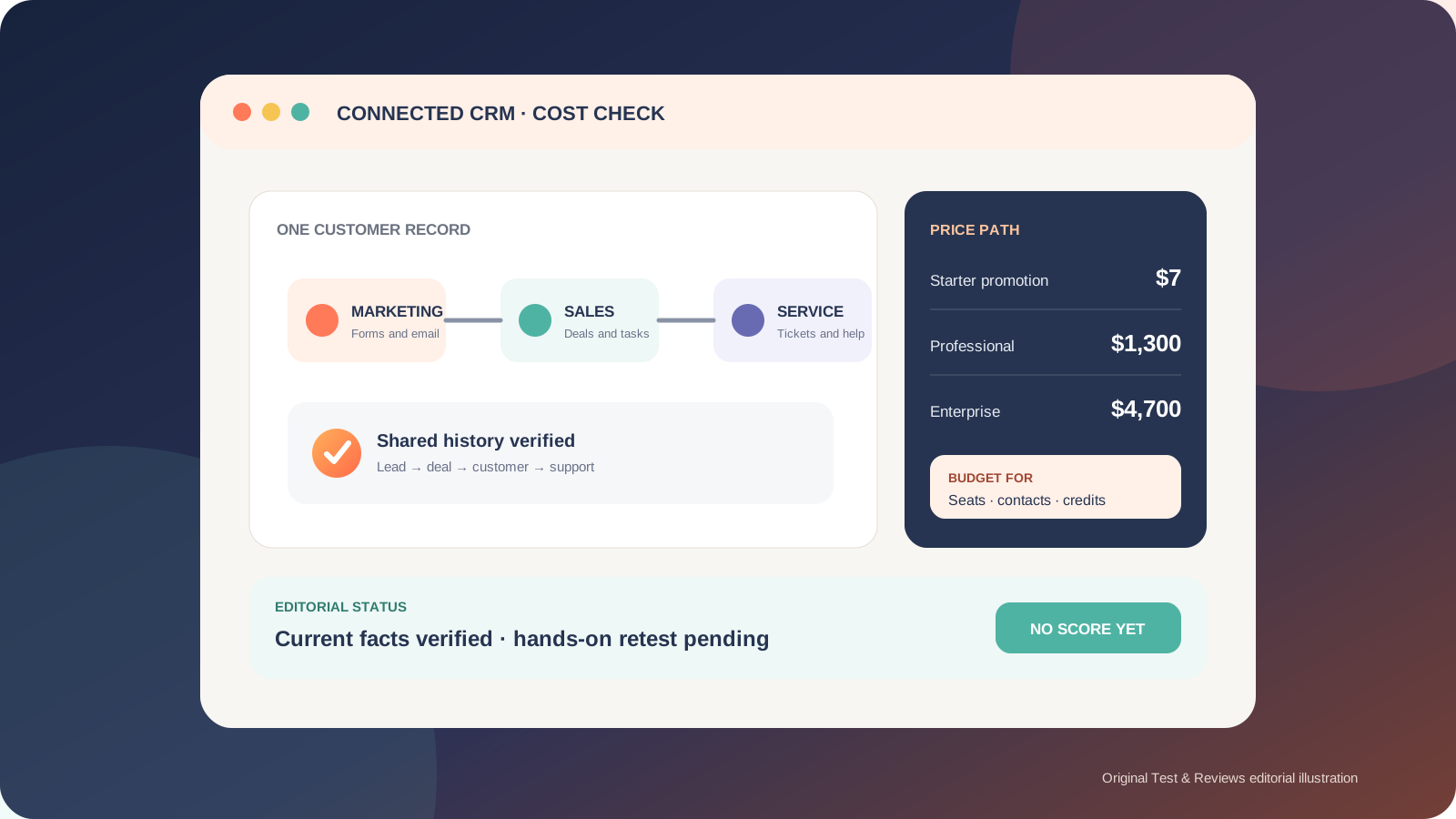
HubSpot is one of the easiest ways to put CRM, marketing, sales and support data in one connected system, but the inexpensive entry point can hide a much larger long-term bill. The free tools are useful for learning the workflow, and HubSpot currently advertises Starter from $7 per seat per month for eligible new customers. The standard displayed Starter price is $20 per seat per month, while the bundled Customer Platform jumps to $1,300 per month for Professional and $4,700 per month for Enterprise.
The original 2023 article says the owner used CRM Suite Starter for one of his companies and found HubSpot straightforward, with good support. We preserve that genuine historical experience, but it is not a current controlled test: no account export, configuration record, support transcript or real product screenshots were retained. This 2026 update therefore verifies current products, prices and billing rules without inventing a score.
HubSpot quick verdict
HubSpot is a strong choice when several customer-facing teams will genuinely use the same contact record. A lead can arrive through a form, enter a sales pipeline, become a support case and later influence reporting without being copied between unrelated tools. The interface and free training also make adoption less intimidating than many enterprise CRM projects.
The risk is buying the platform before mapping how contacts, users, automation and AI consumption will grow. Marketing contacts can trigger an automatic tier upgrade, extra paid seats may remain until renewal, and Professional or Enterprise commitments cannot be canceled or reduced mid-term. HubSpot can still be good value, but only when the connected workflow replaces enough separate work to justify the full contract cost.
Our position: start with Free or Starter and prove a complete lead-to-customer workflow before discussing Professional. We are withholding a numeric rating until a current account has completed the documented 30-day test.
Pros and cons
Pros
- One contact history can connect marketing, sales and service work.
- Free tools provide a practical way to learn the CRM model.
- Consistent interface and extensive free Academy training lower the adoption barrier.
- View-only seats are available without an additional seat charge.
- Regional hosting and mature security documentation help formal vendor reviews.
Cons
- There is a steep price jump from Starter to the bundled Professional platform.
- Marketing-contact overages can upgrade the billing tier automatically.
- Professional and Enterprise require an annual commitment even when billed more frequently.
- Advanced sales, service and revenue access can require specialized paid seats.
- AI features introduce a separate credit meter that needs active cost controls.
What HubSpot includes in 2026
HubSpot now describes the suite as its Customer Platform, built around Smart CRM. The current product families are Marketing Hub, Sales Hub, Service Hub, Content Hub, Data Hub and Revenue Hub. This replaces the older terminology in our 2023 article: CMS Hub became Content Hub, Operations Hub became Data Hub, and the current commerce and CPQ work sits under Revenue Hub.
The appeal is not simply the number of tools. It is the shared data model. Marketing can collect and segment contacts, sales can manage deals and activity, service can handle tickets and knowledge, Content Hub can publish customer-facing content, Data Hub can synchronize and govern data, and Revenue Hub can support quotes, invoices and subscriptions. Buying every product is not automatically better; the value comes from the handoffs a team actually uses.
HubSpot Academy remains free and includes product training and certifications. Some certification exercises require a corresponding Professional or Enterprise subscription, so free learning should not be confused with free access to every feature being demonstrated.
HubSpot pricing: the number on the homepage is only the start
Table tip: swipe horizontally to see every column.
| Customer Platform tier | Current public starting price | Included access | Important condition |
|---|---|---|---|
| Free | $0 | Up to 2 users and a limited set of CRM tools | HubSpot branding and functional limits apply |
| Starter | From $7 per seat/month | Starter editions across the bundled platform; 500 credits | Limited promotional price for eligible new customers; standard displayed price is $20 per seat/month |
| Professional | From $1,300/month annually | 6 Core Seats and 5,000 credits | Annual commitment; additional Core Seats start at $45/month |
| Enterprise | From $4,700/month | 8 Core Seats and 10,000 credits | Annual commitment; additional Core Seats start at $75/month |
Prices are public US-dollar starting rates checked on July 22, 2026, before tax and optional capacity. HubSpot can sell individual Hubs instead of the complete Customer Platform. That can be more sensible when only one team needs advanced features. For example, Marketing Hub Professional currently starts at $800 per month and Enterprise at $3,600 per month, with mandatory onboarding listed at $3,000 and $7,000 respectively.
Do not use the $7 Starter promotion as the long-term budget without reading the checkout. HubSpot labels it as special pricing for new customers and also displays the regular $20 price. Confirm the commitment, renewal price, included contacts, seats and applicable product edition on the actual order form.
Seats are not all the same
A Core Seat provides general platform access. Sales Hub Professional or Enterprise, Service Hub Professional or Enterprise and Revenue Hub Professional or Enterprise require Sales, Service or Revenue Seats for their complete specialist feature sets. View-only seats are free. When an account mixes subscription levels, Core Seats receive the highest relevant access and are priced from the highest subscription level.
HubSpot says purchased seats cannot be reduced during the current commitment term. An unassigned seat can be reused, but removing it from the subscription takes effect at renewal. Build a role matrix before purchase: who edits shared CRM data, who needs a specialist seat, and who only needs to view records?
Marketing contacts can change the bill automatically
Only contacts designated as marketing contacts count toward a Marketing Hub contact tier, but crossing that tier by even one contact triggers an automatic upgrade. The higher tier remains billed until the next renewal even if the count later falls. Marking contacts as non-marketing can also wait until the account's next update date.
This is the most important cost control for a marketing-heavy account. Define which imports, forms, integrations and workflows may create marketing contacts; alert well before the limit; and review the next tier price before launching a campaign.
HubSpot Credits add another usage meter
Some Breeze AI and automation actions consume HubSpot Credits. The Customer Platform currently includes 500 credits on Starter, 5,000 on Professional and 10,000 on Enterprise. Individual Hubs generally include 500, 3,000 and 5,000 respectively. Credits reset monthly and unused credits do not roll over.
Additional credits cost $0.010 each in 1,000-credit capacity packs or through pay-as-you-go usage. Once an account has purchased extra capacity, the default behavior can automatically add a higher pack when usage exceeds the limit, and that capacity remains for the commitment term. Administrators can instead enable overages, set a maximum monthly limit and monitor consumption by feature. Configure those controls before enabling agents at scale.
Free versus Starter versus Professional
Free is suitable for learning contact records, deals, forms and basic communication with a maximum of two users. It is an evaluation environment, not a promise that every free feature or limit will remain unchanged forever.
Starter is the logical first paid step when a small team needs branding removed, more capacity and better day-to-day tools without sophisticated automation. This is also closest to the plan the owner used in 2023. The current seat-based model means the old statement that two paid logins are included for a single $20 fee is no longer reliable.
Professional becomes relevant when workflows, custom reporting, lead scoring, advanced service operations or coordinated campaigns save measurable labor or improve revenue. Do not upgrade for one attractive feature. Build a requirements table and compare the price of the one advanced Hub you need with the complete Customer Platform bundle.
Ease of use and implementation
The owner's 2023 impression was that HubSpot was straightforward and support was good. A current independent TechRadar test similarly found the interface clean and approachable while warning that cost grows quickly. That outside view helps identify useful test questions, but it is not evidence that our present account would behave the same way.
Software usability is only half of a CRM implementation. A team must still define lifecycle stages, deal pipelines, required fields, ownership, duplicate rules, permissions and reporting definitions. Importing messy spreadsheets without that work simply centralizes the mess. Start with one representative workflow and a small, cleaned dataset before connecting every form and mailbox.
Contract, cancellation and data exit
Starter can use a monthly or annual commitment. Professional and Enterprise require an annual commitment, although the billing cycle can differ. HubSpot does not permit mid-term cancellation or downgrade of the subscription. Turning off auto-renewal ends it on the renewal date, and charges continue through the committed term.
Before signing, save the final order form and record the commitment term, billing frequency, renewal date, seat inventory, contact tier, credit capacity and onboarding services. Before leaving, export CRM records and assets while the paid subscription is active, document integrations and verify what becomes unavailable after the account returns to free tools.
Security and data location
HubSpot publishes security documentation and makes SOC 2 Type II and SOC 3 material available through its Trust Center. Its infrastructure uses regional locations in the United States, European Union, Canada and Australia. Paid accounts can request migration to a preferred supported region; free accounts must upgrade to change region.
Regional hosting is not a complete compliance decision. Review the Data Processing Agreement, subprocessors, integration data flows, permission model and the limited processing that may occur outside the selected location. HubSpot also says administrators can control AI access, third-party AI providers cannot train on HubSpot customer data, and customers can opt out of HubSpot's own model improvement. Verify these settings for the exact features enabled in your account.
Who should choose HubSpot?
- Choose HubSpot when marketing, sales and service share customers and will maintain one agreed data model.
- Start with Free or Starter when the immediate requirement is contact management, a simple pipeline, forms, email tracking or live chat.
- Consider a narrower CRM when only sales needs a pipeline and the wider marketing and service platform would go unused.
- Delay Professional when the team cannot name the workflows, reports or capacity that will produce the return.
- Require a formal procurement review when marketing contacts, many specialist users, sensitive data or AI agents are involved.
Our 30-day HubSpot test plan
- Create a clean test portal and retain its plan, region, settings and user roles.
- Import 500 representative contacts with known duplicates and measure cleanup effort.
- Run at least 30 leads from form submission through qualification, deal and support handoff.
- Test email, meeting, task, pipeline, mobile and permission workflows with multiple roles.
- Measure time to build three useful reports without consultant help.
- Record support channel, first response, resolution and answer quality for two real issues.
- Model one-year cost at current and projected seats, marketing contacts and credit usage.
- Test export completeness and document the downgrade and auto-renewal state.
- Compare task completion, administration time and total cost with at least one narrower CRM.
A numeric score will require retained evidence from this protocol. Documentation research alone can verify prices and rules, but it cannot prove reliability, support quality or daily usability.
Final verdict
HubSpot deserves its reputation as an approachable connected customer platform, but the buying decision is a cost-model exercise as much as a feature comparison. Free and Starter make the first workflow easy to validate. Professional can be valuable when automation and shared reporting replace real work, yet its annual commitment, contact tiers, specialist seats, onboarding and credits can make a loosely planned rollout expensive.
The owner's positive 2023 Starter experience remains useful context: the system felt simple and support felt good in that specific company. It is not enough for a current score. Our recommendation is to prove one complete workflow on the smallest viable tier, retain the evidence, and price the next two years before expanding.
View current HubSpot Customer Platform pricing — direct official link, not an affiliate link as of this update.
Frequently asked questions
Is HubSpot CRM free?
HubSpot currently offers free CRM tools for up to two users. Features, capacity and HubSpot branding are limited, and current availability should not be described as a lifetime contractual guarantee.
How much does HubSpot Starter cost?
HubSpot currently advertises Customer Platform Starter from $7 per seat per month for eligible new customers, against a displayed standard price of $20 per seat per month. Check the actual order form for eligibility, commitment and renewal pricing.
Why can HubSpot become expensive?
Total cost can include the subscription tier, Core or specialist seats, marketing-contact tiers, onboarding, HubSpot Credits and add-ons. Some increases apply automatically and reductions generally wait until renewal.
Can I cancel HubSpot during an annual contract?
No. HubSpot's current guidance says paid subscriptions cannot be canceled or downgraded mid-term. Turning off auto-renewal schedules cancellation for the end of the current commitment.
Has Test & Reviews tested HubSpot?
The owner states that he used CRM Suite Starter for one company in 2023 and liked its simplicity and support. We do not have enough retained evidence to treat that as a current controlled test, so this update is unscored and clearly labels the new test as pending.
Sources and update record
Prices and product facts were checked against HubSpot's official Customer Platform pricing, Marketing Hub pricing, Product & Services Catalog, guidance for marketing-contact billing, HubSpot Credits, cancellation and downgrade, and HubSpot's current security documentation. Independent reviews were used only to identify evaluation questions, not copied conclusions.