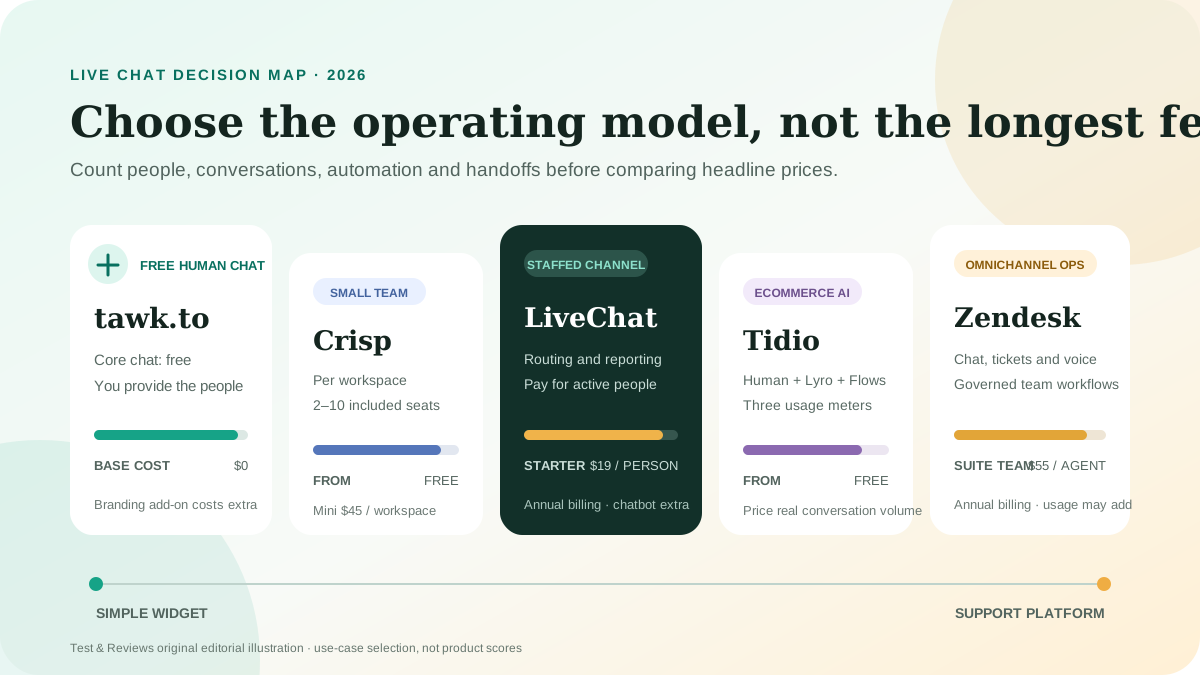
The best live chat software is not the product with the longest feature list. It is the one your team can keep staffed, govern safely and afford after conversation, seat and AI charges are counted. For a website that needs capable human chat at no software cost, start with tawk.to. Crisp is our most practical small-team upgrade, LiveChat is the clearest dedicated chat product, Tidio is the strongest fit here for ecommerce automation, and Zendesk makes sense when chat must join a larger support operation.
This is a researched use-case shortlist, not a hands-on ranking. Test & Reviews has no retained cross-product test for these five current platforms, so we do not publish scores or claim a universal winner. Plans, limits and prices were checked against official US-facing pages on July 22, 2026. Independent evaluations were used to identify questions worth checking, never as a substitute for our own evidence.
Best live chat software: quick answer
| Best for | Our pick | Starting cost | Main cost or limitation |
|---|---|---|---|
| Human chat on no software budget | tawk.to | Free | Branding remains unless you buy the add-on |
| Small support teams | Crisp | Free for 2 seats; Mini $45/workspace | Customer-profile and AI-credit limits vary by plan |
| Dedicated staffed live chat | LiveChat | $19/person/month annually | Per-seat cost rises quickly; ChatBot is separate |
| Ecommerce and AI automation | Tidio | Free; Starter $24.17/month annually | Human, AI and Flow usage have separate quotas |
| Omnichannel support operations | Zendesk | Suite Team $55/agent/month annually | More platform and cost than a small site usually needs |
Our practical default: do not pay for AI first. Install two shortlisted widgets on a private test page, answer real sample questions as a human, test the offline handoff, then price the plan that covers your actual agents and monthly conversations. Automation only helps after the knowledge base and escalation path are reliable.
How we chose the shortlist
Almost every established chat widget can send and receive messages. The meaningful differences appear after installation. We evaluated the candidates against eight purchase questions:
- Can the team actually staff it? A permanently unattended “live” widget creates a worse experience than a clear contact form.
- What triggers the bill? Products charge by agent, workspace, human conversation, AI conversation, automated resolution or add-on.
- Does the inbox preserve context? Email, tickets, chat history and customer details should not become separate silos.
- Is routing sufficient? Assignment, departments, schedules and escalation matter once more than one person answers.
- What happens offline? Visitors need an honest availability message and a dependable asynchronous follow-up.
- Can automation fail safely? AI should cite approved knowledge, admit uncertainty and transfer to a person with context.
- Can the widget be governed? Consent, retention, access controls, exports and subprocessors must fit the business.
- Does it fit the existing stack? A built-in CRM or help-desk widget may be wiser than adding another inbox.
The old article named five products but did not document a shared test or current limits. It also treated list price as total cost and repeated vendor claims as conclusions. We retained the useful product category and URL, but rebuilt the selection model around operating cost and workflow.
1. tawk.to: best free live chat for a small website
Choose tawk.to when the immediate job is simple: let several people answer website visitors without paying per agent. Its core live chat remains free, and the product includes features such as triggers, a knowledge base, ticket handling and mobile or desktop access. This makes it the lowest-risk way to learn whether visitors will use chat before buying a larger platform.
Why it is our free starting point
- No base software charge for the core human chat workflow.
- Multiple team members can answer without a per-seat subscription.
- Knowledge-base and ticket workflows provide a path beyond real-time chat.
- Paid extras can be added without replacing the core widget.
The real cost
The free product displays tawk.to branding. Its current help center lists Remove Branding at $39 monthly or $348 annually, equivalent to $29 per month. Video, voice and screen sharing is also a separate add-on. AI Assist and hired-agent coverage have their own plans and should be quoted from the account before purchase.
That means tawk.to is an excellent free choice only if you accept the branding and provide the people. Free software does not supply free staffing, response quality or knowledge maintenance.
Visit tawk.to (direct non-affiliate link).
2. Crisp: best value for a small support team
Choose Crisp when a small team wants chat and a shared inbox without paying separately for every seat. Crisp bills per workspace and includes a defined number of agents: two on Free, four on Mini, ten on Essentials and more than twenty on Plus. That structure can be easier to budget than per-agent pricing.
The current plans are Free, Mini at $45 per month, Essentials at $95 and Plus at $295. Mini adds a shared email inbox and four seats. Essentials adds broader omnichannel features, a knowledge base, workflow automation, routing and ten seats. Plus adds ticketing, white labeling, advanced analytics and higher limits.
Where the simple price becomes less simple
Workspace pricing does not mean every resource is unlimited. The free plan lists 100 customer profiles; Mini 5,000; Essentials 50,000; and Plus 200,000. AI usage is credit-based. Crisp currently describes about 90 automated conversations on Mini, 450 on Essentials and 1,350 on Plus, but actual model usage can vary. VAT is not included in displayed prices and may apply.
Crisp is therefore a strong value when several people need the same inbox and the workspace limits match the business. It is not automatically the cheapest choice for a large contact database, heavy automation or multiple independent brands.
View Crisp pricing (direct non-affiliate link).
3. LiveChat: best dedicated product for staffed live support
Choose LiveChat when real-time chat is an important, staffed channel and the team wants a focused product with mature routing, campaigns and reporting. Starter costs $19 per person per month when billed annually, Team costs $49 and Business costs $79. Monthly billing is higher.
Starter is deliberately narrow: one user, 60-day chat history, basic widget customization and tracking for up to 100 visitors. Team adds full customization, basic reporting, unlimited history and support for more users, while Business adds scheduling, staffing prediction and advanced performance reporting.
Budget for seats and automation separately
LiveChat charges for every active user account, including administrative accounts with access. The separate ChatBot product starts at $52 per month with annual billing. A small team can therefore move quickly from a $19 headline to a much larger operating cost.
LiveChat makes sense when the organization will use those management tools and has scheduled agents. A one-person site that receives a few questions a week should test tawk.to or an existing CRM widget before accepting per-seat costs.
View LiveChat pricing (direct non-affiliate link).
4. Tidio: best for ecommerce teams testing AI automation
Choose Tidio when website chat, ecommerce workflows and an AI agent need to live in one product. The free customer-service plan includes 50 billable human conversations per month, ten seats and a one-time allowance of 50 Lyro AI conversations. Starter is $24.17 per month with annual billing for 100 billable conversations, while Growth starts at $49.17 for 250.
Tidio separates three kinds of activity: conversations answered by people, conversations answered by Lyro AI, and visitors reached through rule-based Flows. Lyro can be purchased separately from the human support plan, and its allowance must be renewed on a paid quota after the initial free conversations.
Why the usage model matters
A “conversation” is not the same as a message. For human support, a thread that receives an agent response counts as one billable conversation regardless of message count. A Lyro conversation counts when the AI provides at least one reply. Flow limits count visitors reached. Estimate all three from real traffic before choosing a tier.
Tidio is attractive for a store that wants order questions, lead capture and repetitive answers automated. It is less predictable than a flat-price tool if volumes spike or the team does not understand which system handled each interaction.
View Tidio pricing (direct non-affiliate link).
5. Zendesk: best when chat is one part of omnichannel support
Choose Zendesk when the real requirement is a governed support operation across chat, messaging, email, tickets, help content and voice. The $19-per-agent Support Team plan is primarily email and ticketing. Website messaging and live chat enter with Suite Team, currently $55 per agent per month paid yearly. Suite Professional is $115.
Suite Team combines AI agents, a knowledge base, omnichannel routing, messaging, live chat and telephony. The platform can preserve customer context across channels and gives growing teams a stronger operational foundation than a stand-alone widget.
Why most small websites should not start here
Zendesk's strengths create administrative overhead. Seat costs, AI automated resolutions and optional products can all affect the bill. Setup, routing rules, roles and reporting also need an owner. If the business only needs two people to answer a few website messages, Zendesk is likely excessive. If several departments already manage tickets and service levels, it may be the only pick here that fits the real problem.
View Zendesk pricing (direct non-affiliate link).
Side-by-side cost model
| Product | Base pricing model | Included starting capacity | Watch closely |
|---|---|---|---|
| tawk.to | Free core + add-ons | Human chat without per-seat fee | Branding, AI, calls and staffed coverage |
| Crisp | Per workspace | 2 seats Free; 4 on $45 Mini | Profiles, channels, AI credits and VAT |
| LiveChat | Per active person | Starter is one user | Every active account and separate ChatBot |
| Tidio | Human and automation usage | 50 human conversations on Free | Human, Lyro and Flow quotas |
| Zendesk | Per agent + usage/add-ons | Live chat begins in $55 Suite Team | AI resolutions, add-ons and administration |
Which live chat software should you choose?
I have no software budget
Start with tawk.to, keep its branding and define honest staffed hours.
We are a team of two to ten
Compare Crisp's workspace price with the total seat cost of LiveChat and Zendesk.
Chat is a serious sales channel
Test LiveChat's routing and reporting with the exact number of active accounts.
We run an online store
Test Tidio with order questions, human handoff and real monthly volume.
We already run tickets across departments
Evaluate Zendesk Suite as a support platform, not merely as a widget.
Our CRM already includes chat
Test that first. Our HubSpot review explains why bundled tools can still become expensive.
Three costs most comparison tables miss
1. Human coverage
A chat window needs availability rules, ownership and an escalation path. Calculate weekly staffed hours and the cost of interrupting sales or support staff. If nobody can answer promptly, use an asynchronous messenger with a clear response-time promise.
2. AI knowledge maintenance
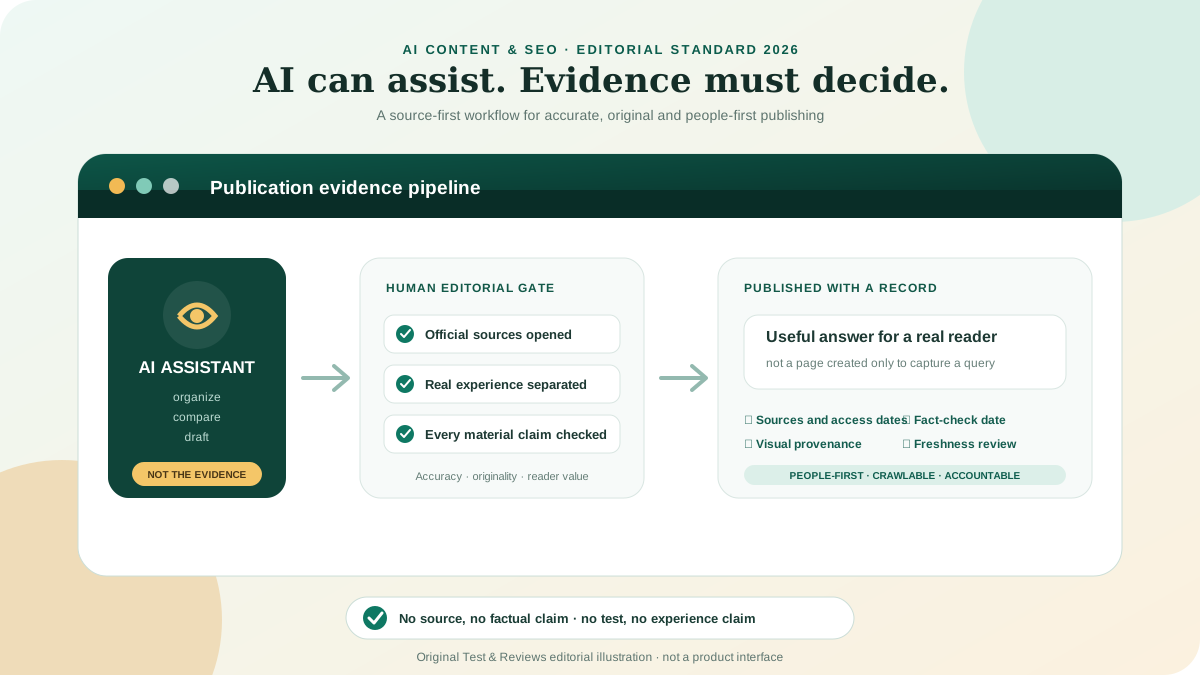
An AI agent needs approved source material, routine review and testing against difficult questions. Usage charges are only one part of the cost. Wrong refund, medical, legal or account advice can cost far more than a saved ticket. Our AI content guide discusses the same principle: AI output still needs accountable human review.
3. Privacy and procurement
A chat can collect names, email addresses, order details, health information or credentials. Before installation, review the data-processing agreement, subprocessors, retention controls, regional hosting claims and deletion/export workflow. Configure the widget so visitors are never encouraged to send passwords or payment-card data.
A fair hands-on test for all five products
We will only add comparative scores after running and retaining the same test on every current platform:
- Create a fresh account and record plan, region, trial terms and every enabled add-on.
- Install the widget on the same private static test site and measure added page weight and layout movement.
- Configure branding, consent, business hours, offline messaging and a deletion request.
- Invite three agents with different roles and test assignment, collision handling and internal notes.
- Run twenty identical visitor scenarios across desktop and mobile, including reconnects and attachments.
- Test email or ticket continuation after the visitor leaves the site.
- Import the same small knowledge base and ask twenty factual, ambiguous and unsafe AI questions.
- Measure correct answers, safe refusals, handoff quality, agent effort and response latency.
- Export transcripts, exercise deletion controls and document what data remains.
- Calculate monthly cost at 2, 5 and 10 agents and at 100, 1,000 and 5,000 conversations.
Until that protocol is complete, product scores would create false precision. The current recommendations describe documented fit and cost, not performance proven by Test & Reviews.
Final recommendation
Start with the smallest system that can handle your real workflow. tawk.to is the sensible first experiment for human live chat with no software budget. Crisp is the most interesting next step for a small team because workspace pricing can be easier to control. LiveChat deserves a trial when chat is a staffed, measurable channel.
Choose Tidio because you have a defined ecommerce automation case, not because “AI” appears on the feature list. Choose Zendesk because the company needs omnichannel support governance, not because it also has a chat widget. In every case, test offline handoff and calculate total monthly cost before switching the widget on for customers.
Frequently asked questions
What is the best free live chat software for a website?
tawk.to is our current free starting point for human-operated website chat. The core service is free, but removing its branding, adding AI, adding calls or hiring coverage costs extra.
Is live chat really free if staff must answer it?
No. A free widget removes the software subscription, not the staffing cost. Define who answers, during which hours, and what happens when nobody is available.
Should a small business use an AI chatbot?
Only after it has a reliable knowledge base and human escalation path. Begin with a narrow set of repetitive, low-risk questions and audit failed answers before expanding access.
Does live chat hurt website speed?
It can. Third-party scripts add network requests and JavaScript. Test the exact production configuration on mobile and consider loading the widget after interaction if immediate availability is not essential.
Is Zendesk better than a stand-alone live chat app?
Zendesk is better suited to organizations that need tickets, routing, knowledge, voice and messaging in one governed support operation. For a small site that only needs basic chat, it is usually more product and cost than necessary.
Sources and update note
Pricing and plan details were checked July 22, 2026 against the official tawk.to add-on guide, Crisp pricing, LiveChat pricing, Tidio pricing and Zendesk pricing. Zapier and TechRadar were consulted for independent test context; their scores and experiences are not represented as ours.
July 22, 2026: Replaced the unsupported 2025 ranking with a fully open, use-case guide; rechecked every current plan; separated human, seat, workspace and AI cost models; removed unverified user statistics and product-quality claims; and added a reproducible cross-platform test protocol.