The best small business software stack is not the longest list of popular apps. It is the smallest set of tools that gives every important job one clear home. For a solo operator or a small online team, our free-first starting stack is HubSpot for customer records, ClickUp for delivery, Canva for visual assets, Metricool for social publishing, Ubersuggest for SEO research, and tawk.to for website conversations.
These are recommended starting points, not six universal winners. We have not run a shared, controlled benchmark across every alternative, so we do not assign ranks or scores. Instead, this guide shows what each tool owns, what its free plan can prove, and the specific limit that should trigger a paid upgrade.
The six-tool stack at a glance
| Business job | Starting pick | Useful free boundary | Upgrade only when |
|---|---|---|---|
| Leads and customer history | HubSpot Free CRM | $0 for up to 2 users on the current Customer Platform Free plan | A proven sales, service or marketing workflow needs paid automation or more seats |
| Tasks and delivery | ClickUp | Free Forever, with 60MB storage among its important limits | The team needs paid views, permissions, storage or automation at scale |
| Visual content | Canva | Free for one person, with 5GB storage and a limited content and AI allowance | Brand controls, premium assets, resizing or higher AI use saves measurable time |
| Social planning | Metricool | 1 brand, 20 scheduled posts per month and 30 days of analytics history | You need more brands, more history, team workflows or paid integrations |
| SEO opportunities | Ubersuggest | A limited free account for keyword and site research | Daily research, more projects, tracked keywords or larger audits justify it |
| Website chat | tawk.to | Core live chat is free | Removing branding, AI usage or outsourced agents solves a real operating need |
Important: a $0 software bill does not mean a $0 operating cost. Setup, data cleanup, training, content production and answering chat all consume time. Track those hours alongside subscriptions.
How the stack works as one system
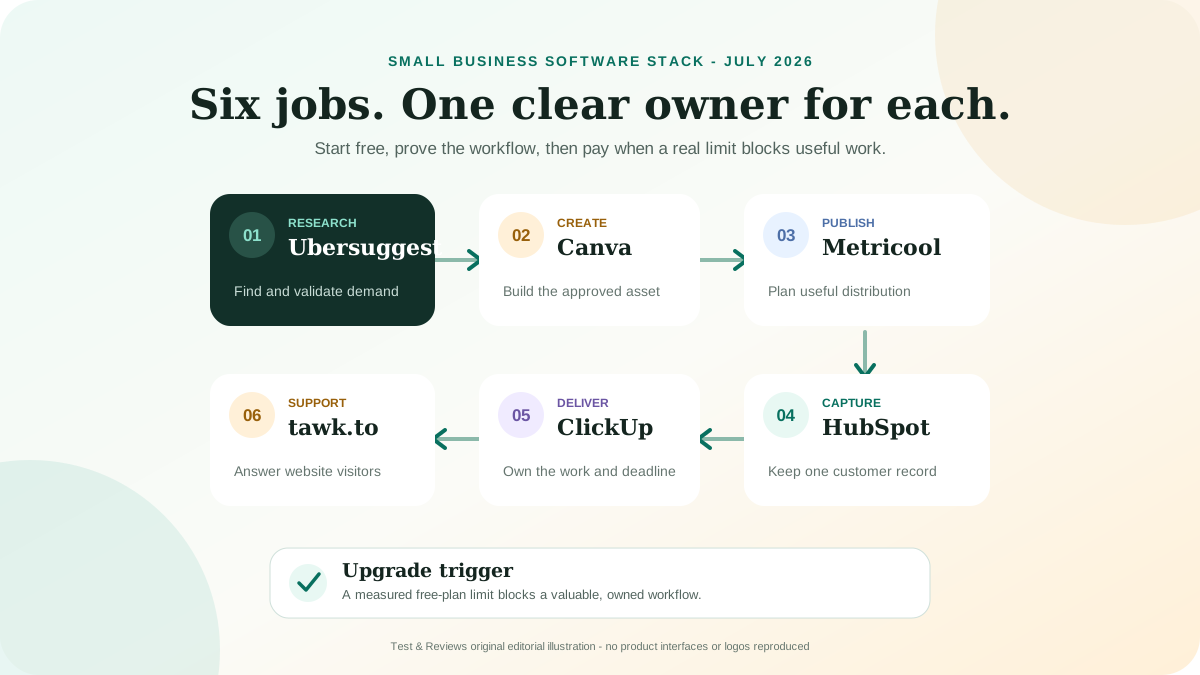
The tools should form a simple operating loop rather than six separate islands:
- Find demand in Ubersuggest. Use keyword and competitor estimates to identify questions worth validating.
- Create the asset in Canva. Produce the image, presentation or social variation from an approved brief.
- Plan and distribute in Metricool. Schedule the approved content and review channel-level results.
- Capture the relationship in HubSpot. Store consented lead and customer data in one customer record.
- Deliver the work in ClickUp. Turn the request or campaign into an owner, deadline and acceptance condition.
- Answer visitors in tawk.to. Handle real-time questions and move useful customer context into the system of record.
This flow is deliberately modest. Do not automate it on day one. Run it manually until the handoffs repeat predictably, document which data crosses each boundary, and automate only the stable steps. Otherwise, automation makes unclear ownership move faster.
Why these six starting points
1. HubSpot Free CRM: one customer record
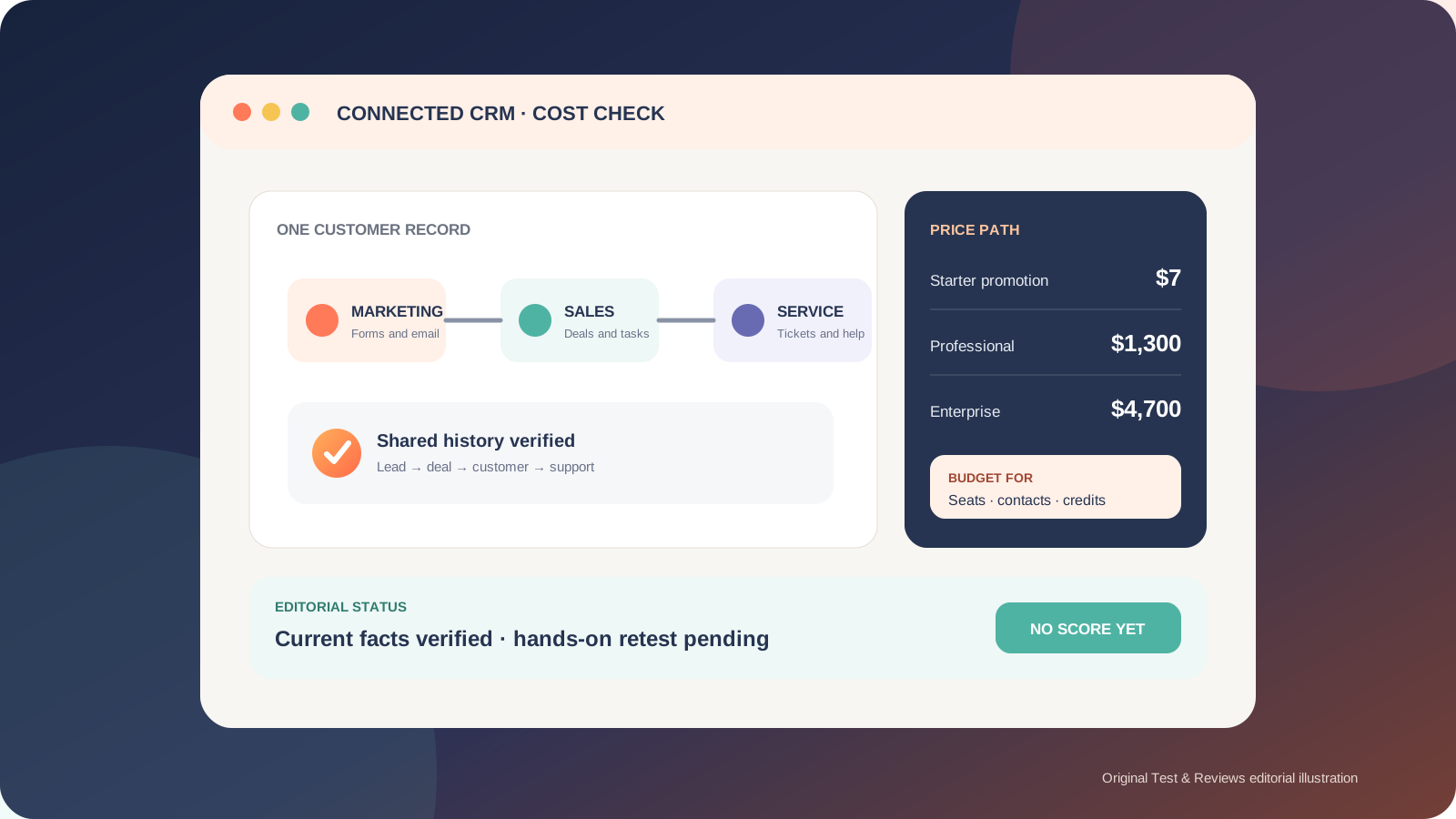
HubSpot is the customer layer of this stack. Its current free Customer Platform is $0 for up to two users, which is enough to prove a basic contact, company and deal workflow. The advantage is not the number of features; it is having one agreed place for customer history instead of keeping leads in inboxes and spreadsheets.
The risk appears when a small workflow becomes a broad platform purchase. Paid HubSpot costs can involve seats, marketing-contact tiers, credits, onboarding and commitment terms. Build the minimum pipeline first, define which contacts count as marketing contacts, and read our full HubSpot pricing and workflow review before moving beyond Free or Starter.
Do not buy yet if: no one owns lead follow-up, your sales steps are not defined, or a shared spreadsheet still handles the volume reliably.
2. ClickUp: turn promises into owned work
ClickUp owns execution: tasks, deadlines, recurring processes and the documents needed to finish them. Free Forever is a realistic sandbox, although 60MB of storage and feature-use limits mean it should not become an accidental file archive.
If the workflow sticks, ClickUp currently lists Unlimited at $7 per user per month when billed yearly or $10 when billed monthly. Business is $12 or $19 per user per month on those billing cycles. AI is a separate cost decision, and some add-ons apply across members or open seats. Our ClickUp review explains those billing edges.
Do not buy yet if: the team has not agreed on a simple hierarchy, statuses and an archive rule. More views will not repair an unclear process.
3. Canva: a controlled visual workspace
Canva fills the visual-production job without requiring every small team to learn a professional design suite. The current US pricing page lists Free at $0 for one person with 5GB of cloud storage, a limited asset library, one small Brand Kit and a limited AI allowance. That is enough to create a repeatable template and test whether visual production is actually a bottleneck.
Canva Pro is currently listed at $144 per year for one person. Canva Business is $250 per person per year and adds broader collaboration, brand and AI capacity. Taxes may apply, and the displayed plan structure can vary by market. Check the local checkout before budgeting.
Do not buy yet if: you have not created a small approved template set. Premium content does not create visual consistency by itself, and stock-asset availability is not the same as permission for every trademark, model, product or resale use.
4. Metricool: one publishing calendar
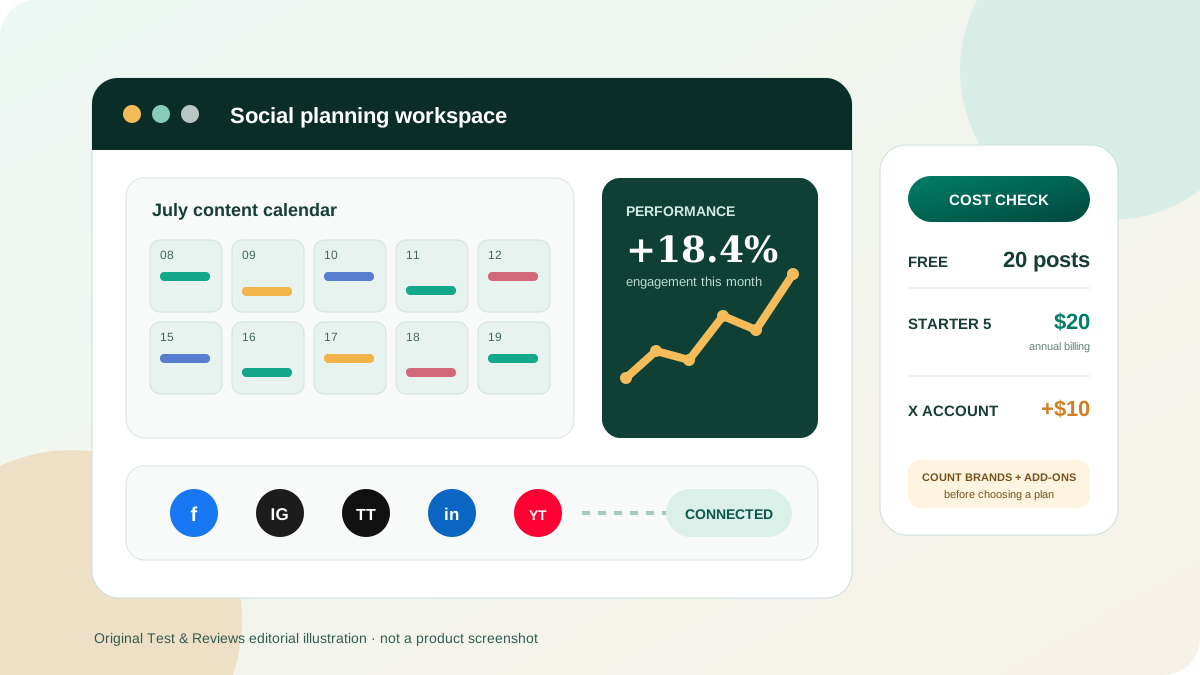
Metricool is the distribution layer. Its free plan currently supports one brand, up to 20 scheduled posts per month and 30 days of analytics history. In Metricool, a brand is a workspace that can connect one profile per supported platform; it is not simply one social account.
For US pricing, Starter for five brands is currently displayed at a $20 monthly equivalent with annual billing or $25 month to month. Starter for ten brands is $36 or $45 on those cycles. VAT or other tax is excluded, and X/Twitter connections can add cost. Review the complete Metricool pricing analysis before using a headline plan price.
Do not buy yet if: publishing fewer than 20 monthly posts manually is not causing missed work, or no one reviews the analytics and changes the next content plan.
5. Ubersuggest: find opportunities, then validate them
Ubersuggest can help a small site collect keyword ideas, inspect competitors, audit pages and track rankings without starting with an enterprise SEO subscription. The current Individual plan is $29 per month for one user and one project. Business is $49 per month for two users and seven projects, while Enterprise is $99 per month for five users and 15 projects. The provider also advertises a limited free account and lifetime purchase options.
Keyword volume, difficulty and traffic figures are estimates, not measurements of future results. In the owner's May 2024 test, some Norwegian keyword results looked implausible, so the right workflow is to validate important decisions with Search Console, live search results and business relevance. Our Ubersuggest review keeps that dated observation separate from current product facts.
Do not buy yet if: you have not exhausted the limited free research needed for your next few pages, or no one will act on the resulting brief.
6. tawk.to: free software, staffed responsibility
tawk.to is the easiest way in this shortlist to test whether visitors want live chat because its core software is free. The product funds that model through optional services. Removing its branding currently costs $39 per month or $348 per year; AI and hired-agent services have separate pricing.
The operating question matters more than the widget: who answers, during which hours, how quickly, and what happens when the person is unavailable? Our live chat software guide compares tawk.to with tools designed for different staffing and automation models.
Do not add chat yet if: no one can own the queue. An unattended chat box can set a worse expectation than a clear contact form.
What this stack deliberately leaves out
A real business will probably need additional systems, but they should not be chosen from a generic global list:
- Email, calendar and files: often determined by Microsoft 365 or Google Workspace and the team's existing identity setup.
- Passwords and access: choose a business password manager and require multi-factor authentication; do not store credentials in tasks or CRM notes.
- Accounting, payroll and tax: select for the legal entity, country, bank feeds, accountant and reporting obligations.
- Payments and ecommerce: select for products, market, taxes, returns and payment methods rather than popularity.
- Analytics and consent: configure according to the site's markets, lawful basis and actual measurement needs.
- Backups and business continuity: document exports, ownership, recovery and what happens if an account is suspended.
Those categories can carry legal, security or operational consequences. They need their own requirements and evidence, not a casual seventh pick.
A 30-day rollout that prevents software sprawl
| Period | Build | Evidence of success |
|---|---|---|
| Days 1-7 | Define one HubSpot pipeline and one ClickUp delivery flow | A real lead moves to an owned task without duplicate entry |
| Days 8-14 | Create three Canva templates and a basic approval rule | Another person can produce an on-brand asset from the brief |
| Days 15-21 | Research one content cluster and schedule a small Metricool calendar | Every item has a purpose, owner, destination and measurement |
| Days 22-30 | Test chat during declared hours and audit the full handoff | Questions are answered, useful context is recorded and no tool owns duplicate truth |
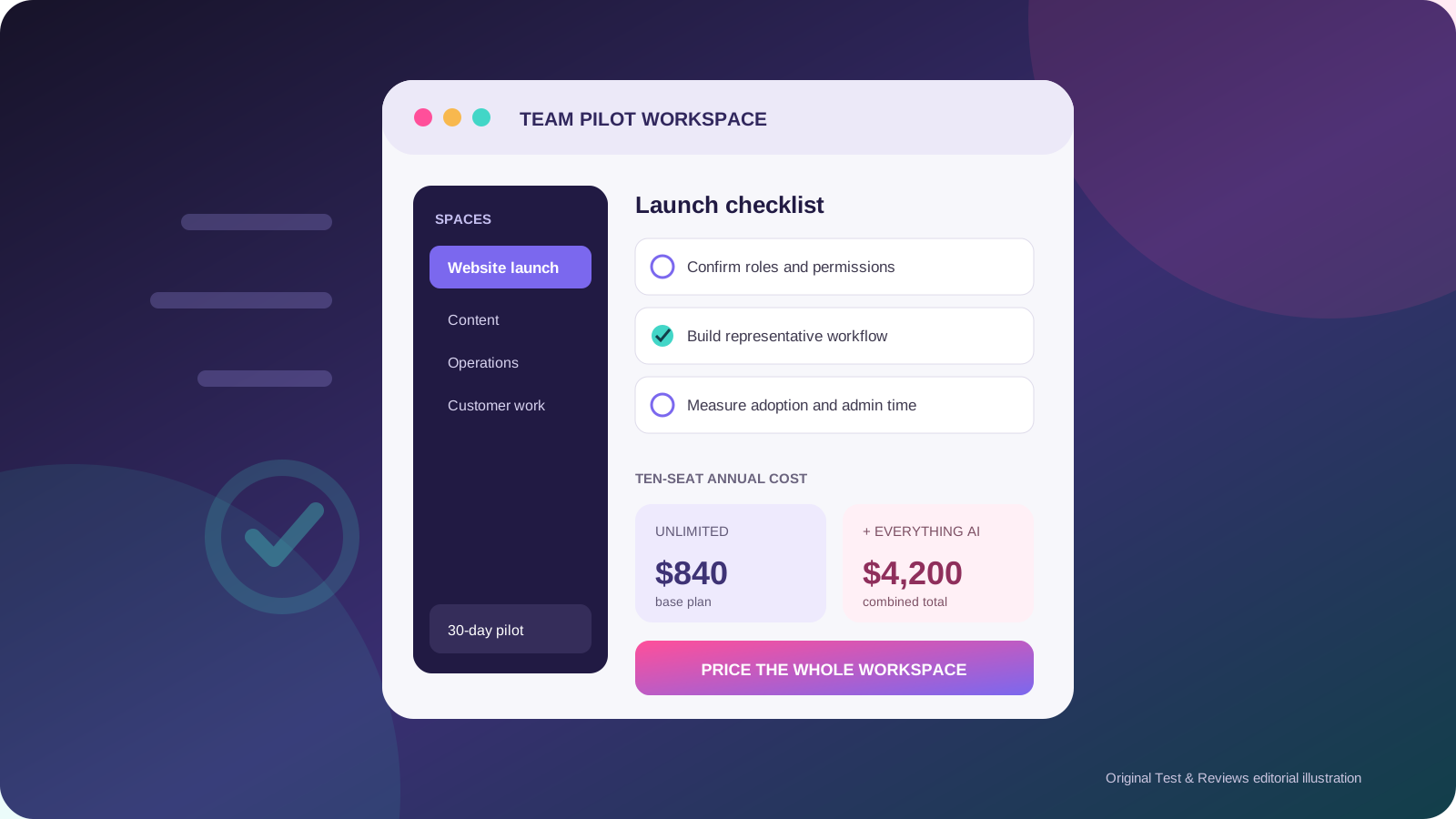
At the end of the month, remove unused fields, views, integrations and apps. A free tool with no owner still creates cognitive cost and another place for customer data to leak or become stale.
When a paid plan is justified
Upgrade because a measured constraint is blocking a useful workflow, not because a pricing page labels a tier “popular.” Record the decision in a small cost sheet:
- Users and paid seats, including guests and open seats.
- Contacts, brands, projects, tracked keywords and storage.
- AI credits, automation runs and other metered usage.
- Add-ons, onboarding, support and required annual commitments.
- Tax, currency conversion and the renewal price.
- Migration, training, administration and monthly operating hours.
A paid plan passes the test when the value of the removed bottleneck is greater than this total cost and the team can name who owns the system.
Our verdict
Start with the job, then the free plan, then evidence. HubSpot, ClickUp, Canva, Metricool, Ubersuggest and tawk.to form a credible starting stack for a small online business because each has a distinct role and a low-cost way to prove it. They are not mandatory purchases, and this is not a claim that each beats every competitor.
The strongest version of this stack may contain fewer than six tools. If your CRM already handles chat, your project tool holds approved content, or you do not publish on social media, remove the overlap. A smaller stack with clear ownership is better than a “complete” stack nobody can explain.
Frequently asked questions
Can a small business really start this stack for free?
Yes, all six products have a current free entry point, but the limits differ and labor is not free. Confirm local plan details and measure setup and operating time.
Should I connect every tool immediately?
No. Run the handoff manually first. Connect tools only after the trigger, destination, data fields, owner and failure process are documented.
Why is there no overall score?
We have not completed one shared benchmark across all six categories and credible alternatives. A single score would hide different jobs, evidence levels and billing models.
Which tool should I set up first?
Start with the current bottleneck. For many service businesses that is a customer record and follow-up process in HubSpot; for delivery-heavy work it may be ClickUp. Do not install the remaining tools until their job appears.
How often should pricing be checked?
Check before every purchase or annual renewal. This page's public plan facts were checked on July 22, 2026 and are scheduled for review within three months.
Sources and change log
Current product and pricing facts were checked against the official HubSpot pricing page, ClickUp pricing page, Canva pricing page, Metricool pricing page, Ubersuggest pricing page, and tawk.to's explanation of its free model. Independent small-business software and CRM roundups were used to challenge category coverage, not as proof of our testing or as text to copy.
July 22, 2026: replaced the legacy random 2024 collection with a six-job, free-first stack; rechecked current public plans; removed unsupported first-person claims, rankings and unrelated product summaries; added upgrade triggers, exclusions and a 30-day rollout.