Our experience with Ubersuggest
We bought a Ubersuggest lifetime account for $290 and have used it for about three years. It still works, and we mainly use it for keyword research and quick competitor checks.
The product screenshots are from May 2024. We checked the current prices, features and account terms again on July 26, 2026.
What is the Ubersuggest SEO tool?
Neil Patel's Ubersuggest is an SEO tool for people who want keyword research, site audits, rank tracking, competitor analysis and content ideas in one place. It is much easier to learn than many premium SEO platforms, which is a big part of its appeal.
You can use it to find topics, check how difficult a keyword may be, inspect competing pages, look for backlinks and track rankings. It now also includes AI Keyword Overview, AI Prompt Ideas, AI Writer and AI Search Visibility. You do not need every feature on day one, but it is useful to have them ready when your site grows.
Ubersuggest keyword research: useful, but refresh key data
Keyword Overview shows search volume, SEO Difficulty, paid difficulty and cost per click. Keyword Ideas then gives you related terms to explore. The layout is simple, and a beginner can normally understand the basics without watching hours of tutorials.
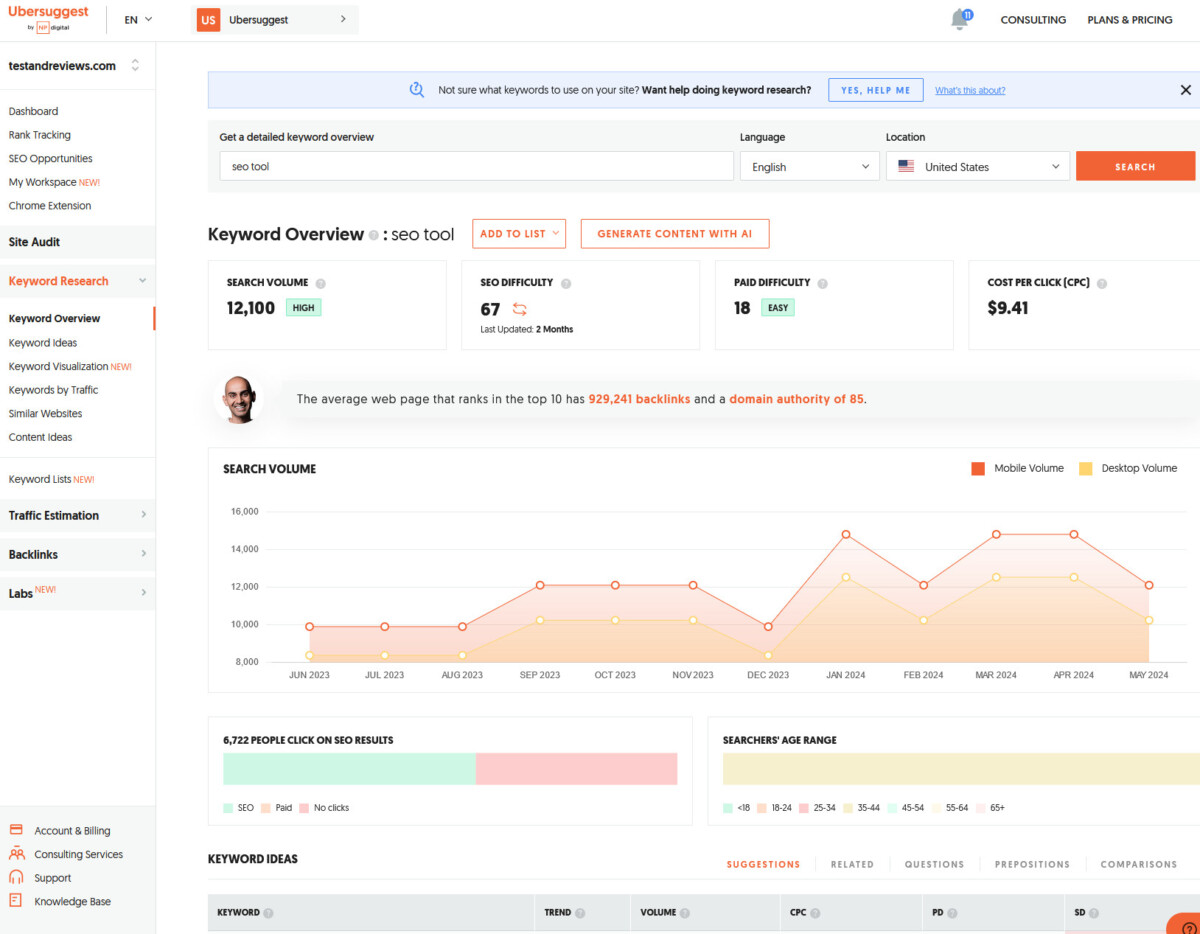
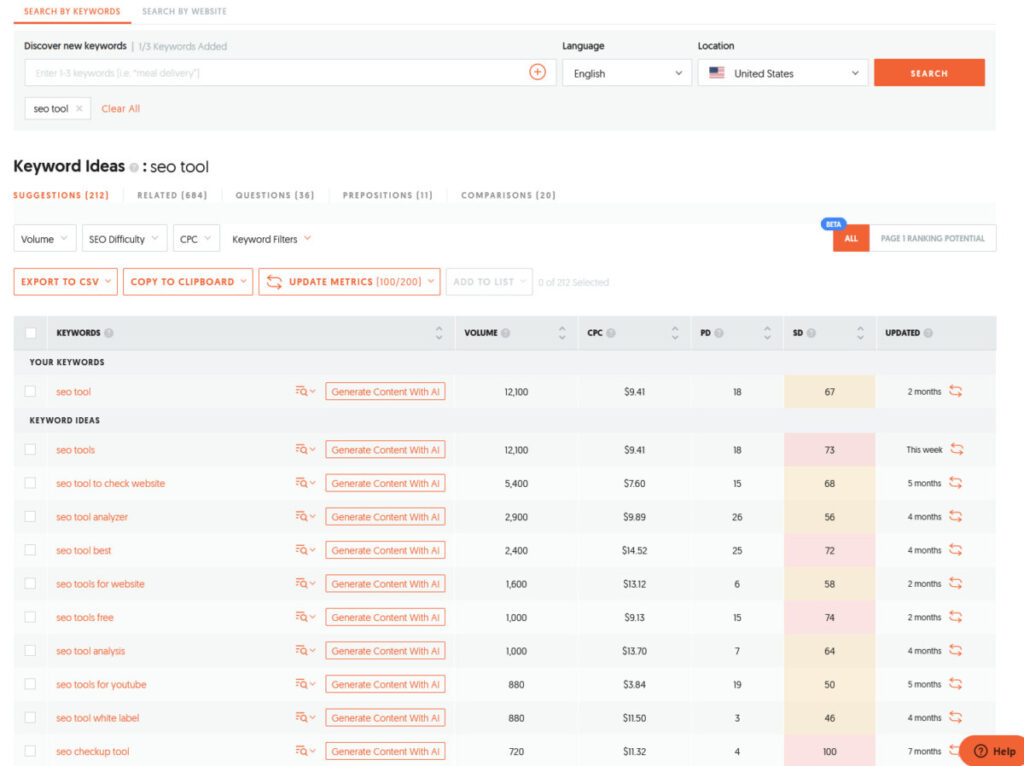
There is one catch. In our saved test, the phrase “SEO tools YouTube” first showed an SEO Difficulty of 18. After we refreshed the older data, it changed to 71.


That is a big difference, so check the data age before choosing an important topic. Refresh the number, inspect the actual Google results and compare it with Search Console when you have first-party data. Ubersuggest is good for finding ideas; one difficulty score should not make an expensive decision for you.
Ubersuggest backlink checker, competitor analysis and site audit
The Ubersuggest competitor analysis tools are useful for finding pages, keywords and topics worth investigating. Traffic numbers are estimates, not a competitor's real analytics, so use them to build a research list rather than as exact facts.
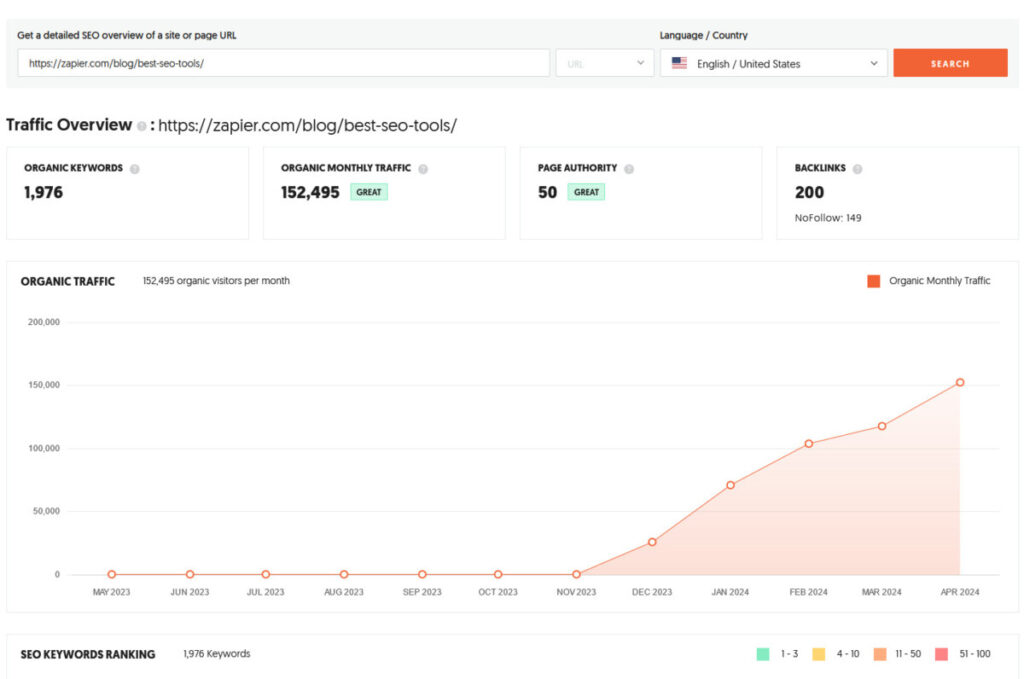
The Ubersuggest backlink checker can show backlinks, referring domains and possible link opportunities. It is handy for a quick look, but Ahrefs is the stronger fit when backlink research is the main job.
The Ubersuggest site audit is easy to follow and turns technical issues into a task list. Rank tracking is also fine for a small keyword set. Check the plan limits before buying if you manage many sites or need daily client reports, because Ubersuggest is better suited to smaller teams than large agencies.
The Ubersuggest Chrome extension saves time
The Ubersuggest Chrome extension adds keyword estimates and related ideas while you browse Google. We liked being able to spot a useful term without opening another dashboard.
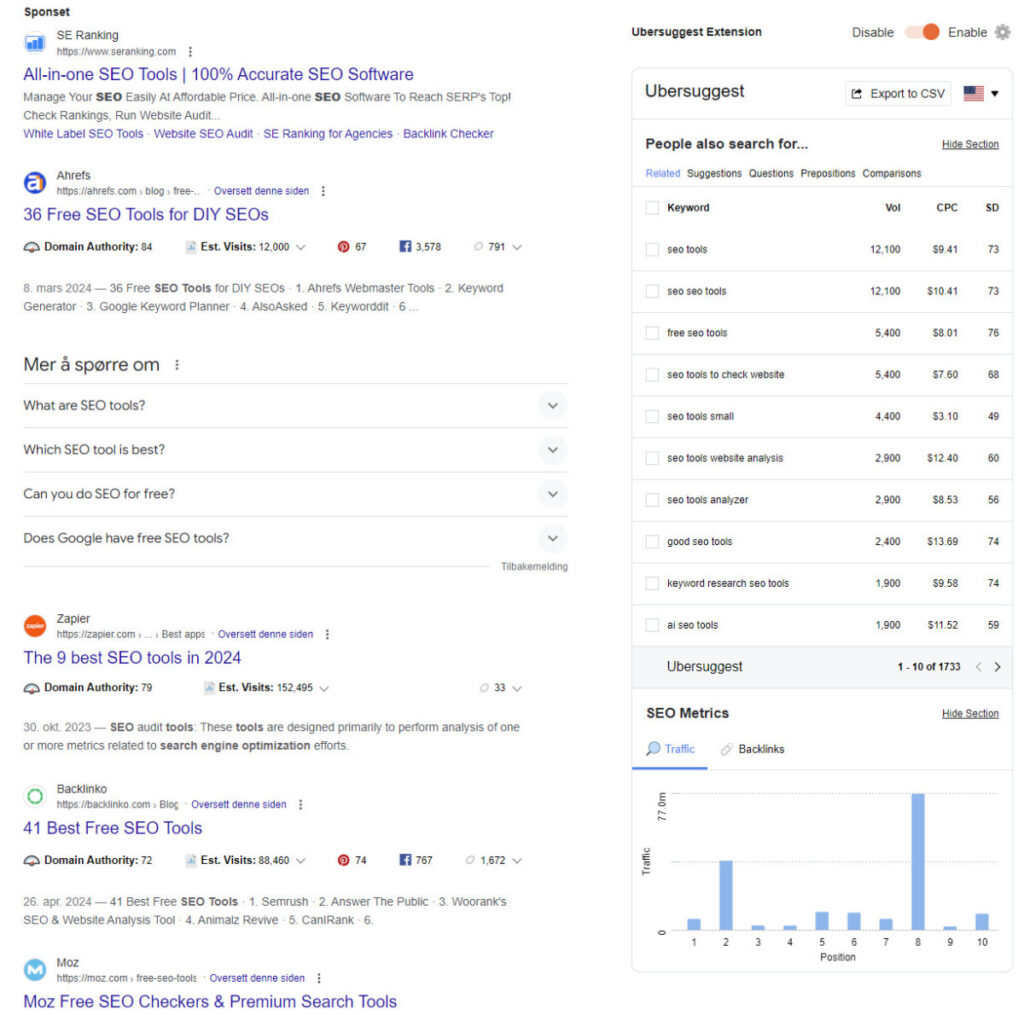
The free account currently allows 40 extension searches per day. Paid plans list higher limits. As with the main keyword tool, treat the numbers as a shortcut for research, not the final answer.
Ubersuggest AI Writer and AI search tools
Ubersuggest now covers more than normal Google rankings. AI Search Visibility tracks how a brand appears in tools such as ChatGPT, Gemini and Google AI Overviews. AI Keyword Overview adds intent, prompt ideas, brands and sources, while AI Writer can help create outlines, titles and draft content.
These features are useful, but plan limits matter. Older lifetime accounts get basic AI Search Visibility, while some advanced use requires an add-on. AI results can also change with the prompt, model and date, so treat them as a sample rather than a complete picture. Our AI content and SEO guide explains what to check before publishing an AI-assisted draft.
Ubersuggest free, pricing and lifetime deal
Start with Ubersuggest free. The account has no stated time limit and currently includes one project, three reports per day, 25 weekly tracked desktop keywords and a 150-page weekly audit. That is enough to see whether you like the workflow.
The Ubersuggest pricing plans we checked start at $29 per month for Individual, $49 for Business and $99 for Enterprise/Agency. Monthly subscriptions include a one-time seven-day trial. Limits for projects, tracked keywords, audits and AI credits increase with each plan, and optional add-ons can cost extra.
The Ubersuggest lifetime deal is the more interesting option for long-term buyers. Its documentation defines “lifetime” as 50 years, charged upfront with no trial and no refund. Our archived purchase price was $290. After about three years, that works out to roughly $8.06 per month, and the account still works.
That historical price is not a promise of today's checkout price. Try the monthly version first, make sure the limits fit, and then check the current lifetime offer before paying.
Ubersuggest alternatives: Semrush, Ahrefs and SE Ranking
Ubersuggest vs Semrush: choose Ubersuggest when price and ease matter most. Choose Semrush when a professional team needs daily tracking, larger audits, deeper research and advanced reports. Its SEO plan was $139 month-to-month, or $117.33 per month with annual billing, when checked on July 26, 2026.
Ubersuggest vs Ahrefs: choose Ahrefs when backlink analysis and deep organic-search research are central to your work. Ahrefs Lite was $129 per month when checked on July 26; its limited Starter option was $29. Choose Ubersuggest when you want a simpler toolkit at the lower price.
Ubersuggest vs SE Ranking: consider SE Ranking when daily rank tracking, much larger limits, API access and team workflows matter more than having the simplest beginner experience. Its Core plan was EUR 109 month-to-month, or EUR 87.20 per month with annual billing, when checked on July 26.
| Three-year example | Ubersuggest | Semrush |
|---|---|---|
| Price used | Historical $290 lifetime purchase | $117.33/month, billed annually |
| Approximate total | $290 | $4,223.88 |
| What to remember | Today's lifetime price may differ | You get deeper tools and daily tracking |
This is a price example, not a claim that the products are equal. Premium tools give you more depth. Ubersuggest gives many ordinary site owners enough SEO help for much less money.
A five-minute check before you buy
- Start with the free account and search for five keywords you already know well.
- Refresh the SEO Difficulty before trusting it, then inspect the live top-ranking pages.
- Add your own site and confirm that the project, audit and tracking limits cover your normal work.
- Connect Google Analytics and Search Console if you want your own traffic data instead of modeled estimates.
- Use the monthly trial before buying lifetime. Cancel within seven days if it does not fit, because processed subscriptions and lifetime purchases are non-refundable.
If those five checks go well, the lifetime option is where Ubersuggest becomes unusually good value. If you immediately need more projects, deeper backlink filters, daily client reporting or an API, choose a more advanced platform instead.
Is Ubersuggest worth it?
Yes, for bloggers, solo marketers and small businesses. It is easy to learn, covers the SEO jobs most small sites need and offers excellent value if the lifetime limits suit you. Our score is 9.0/10.
Skip it if you need an API, deep agency reporting, daily tracking or the largest possible dataset. For everyone else, start free, test your normal workflow and check the latest lifetime price if you decide to keep it.
Sources and update note
We checked the official Ubersuggest pricing page, its feature guide, lifetime AI limits, lifetime terms, refund policy and traffic-estimation guide on July 26, 2026. Competitor features and prices came from their official pricing and product pages. The next Ubersuggest price and product check is due October 26, 2026.