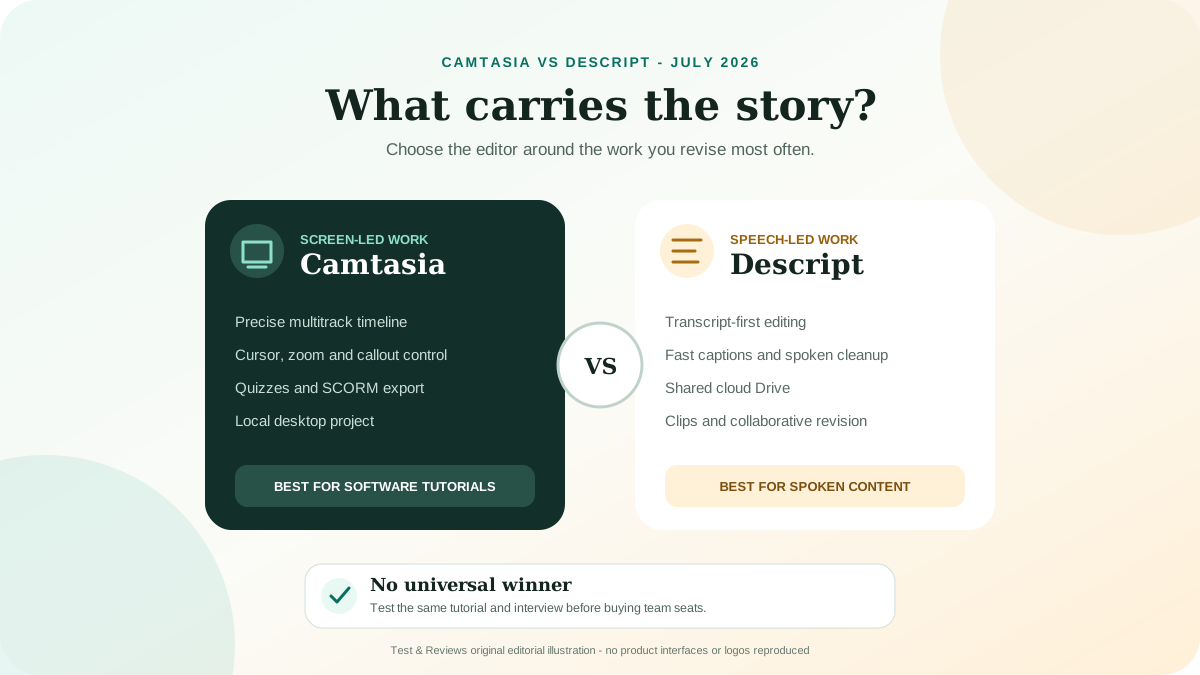
Choose Camtasia for detailed screen tutorials, software training and timeline control. Choose Descript for transcript-first editing, talking-head content, podcasts and faster cloud collaboration. The gap is narrower than older comparisons suggest: current Camtasia plans include text-based editing through the separate Audiate application, while Descript has expanded beyond transcription into a capable video editor with recording, layouts and AI tools.
We have not completed the same controlled production test in both current versions, so this comparison has no winner score. Our recommendation is based on current product documentation, pricing and workflow evidence. A repeatable head-to-head test is defined below.
Camtasia vs Descript: the short verdict
| Decision | Camtasia | Descript |
|---|---|---|
| Best fit | Software tutorials, training, demonstrations and visual instruction | Podcasts, interviews, talking-head video, clips and script-led production |
| Primary editing model | Desktop multitrack timeline, with text editing through Audiate | Transcript and scenes first, with a supporting timeline |
| Project model | Desktop projects should be edited from local storage | Cloud Drive with desktop and web editing |
| Screen-recording strength | Separate screen, camera, system-audio and microphone tracks; cursor and zoom controls | Fast screen and camera capture tied to transcript and cloud workflow |
| Training features | Annotations, cursor effects, quizzes and SCORM export | Layouts, captions, clips, translation and shareable pages |
| Free use | Full Editor can be tried indefinitely, but exports are watermarked | Free plan for limited recording, editing and AI use |
| Paid starting point used here | Essentials: $179.88 per year | Hobbyist: $16/person/month annual, or $24 monthly |
Our default recommendation: start with Descript if most edits can be described as “change the words.” Start with Camtasia if most edits are “show the exact part of the interface, cursor movement or visual sequence.”
Who should choose Camtasia?
Camtasia is the stronger starting point when the screen itself carries the lesson. Its desktop recorder can capture the screen, webcam, system audio and microphone as editable tracks. The editor is designed for visual timing: cursor paths, zoom and pan, callouts, annotations, transitions and media positioned on a multitrack timeline.
That makes Camtasia particularly suitable for:
- Software walkthroughs where the viewer must see each click and field.
- Internal training with callouts, quizzes or SCORM export.
- Long-lived tutorials that need precise visual updates.
- Creators who want local project files and detailed timeline control.
- Workflows that already use Snagit or TechSmith Screencast.
Camtasia is not the obvious choice merely because it records a screen. If the output is mostly a person speaking, an interview, a podcast or many social clips, its deeper timeline can become work you do not need.
Who should choose Descript?
Descript is the stronger starting point when spoken language carries the content. It transcribes imported or recorded media, then lets an editor navigate and cut the recording by changing the text. Scenes, captions, filler-word removal, Studio Sound, Eye Contact, AI Speech and its Underlord assistant sit around that transcript-led workflow.
Descript is particularly suitable for:
- Podcasts and interviews where the transcript is the fastest map of the recording.
- Talking-head videos that need captions and frequent wording changes.
- Teams that review, comment and edit from a shared cloud Drive.
- Turning long spoken content into shorter clips.
- Creators who want desktop and browser access instead of managing a local project package.
Descript is not automatically lighter on hardware or bandwidth. Its current recommendations include Windows 11 or macOS 14, 16GB memory for HD work, more for 4K, an SSD and at least 50Mbps download and 10Mbps upload. There is no supported mobile or tablet editing app.
The old comparison is outdated: both can edit from text
The legacy page presented Camtasia as timeline editing and Descript as transcript editing. That is now incomplete. Camtasia Essentials, Create and Pro include Audiate capabilities for transcription, hesitation removal, audio cleanup and text-based editing. Audiate is a separate installation, and edits can sync back to the Camtasia timeline.
The remaining difference is workflow emphasis:
- In Camtasia, the timeline is still the production center. Audiate helps clean or restructure spoken media and syncs the result back.
- In Descript, the transcript and scene structure are the production center. The timeline supports that document-like model.
If transcript editing is the only deciding feature, trial both. The better choice will depend on how reliably each transcript handles the speaker, language and terminology, and how much visual repair is required after a text cut.
Screen recording and tutorial production
Camtasia: control after the recording
Camtasia's advantage is not simply pressing Record. It is the ability to repair and teach with the result. Independent comparison data also identifies screen recording, screen capture and annotations among Camtasia's strongest user-rated capabilities. Current Camtasia adds automatic zoom options, while manual cursor and path controls remain useful when the viewer must follow a precise interface action.
The local file model deserves planning. TechSmith explicitly advises recording and editing active Camtasia projects on local storage, not a cloud-synced or network drive. Projects may be archived to cloud storage after Camtasia is closed. A team should therefore define project packaging, handoff and backup rather than expecting Google-Docs-style co-editing in the desktop project.
Descript: speed around speech
Descript records the screen, camera and microphone and moves the result directly into its cloud editing model. It is well suited to narrated demos where removing a sentence, tightening pauses and producing captions matters more than animating every pointer movement.
For detailed software instruction, test the visual consequences of transcript cuts. Removing words can also remove time from the screen recording. A clean sentence is not automatically a clear demonstration if the cursor or application state changes inside the removed interval.
AI, transcription and usage limits
The products describe AI economics differently, so headline feature lists are not enough.
Camtasia and Audiate
TechSmith currently describes transcription and relevant AI actions in its paid plans as unlimited, subject to an excessive-use clause in its terms. Essentials includes transcription and text-based editing; Create adds script generation and AI voiceovers; Pro adds features such as avatars, translation/dubbing functions, generated metadata and a premium asset library.
Do not assume that every advertised AI feature is present in every tier. TechSmith marks premium functions in Audiate and prompts for an upgrade when a plan does not include them. ElevenLabs premium voices also have purchasing-channel restrictions.
Descript media minutes and AI credits
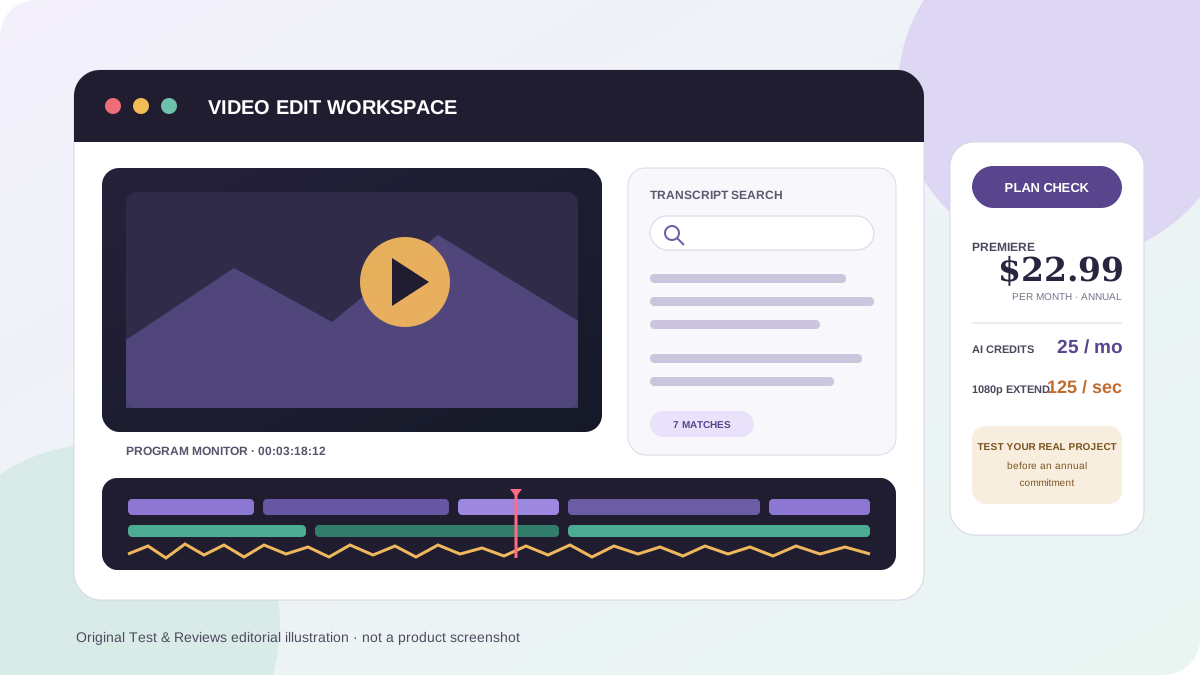
Descript's current paid plans include two usage pools. Media minutes are consumed when media is uploaded or recorded. AI credits are consumed by features such as Underlord, Studio Sound, filler-word removal, Eye Contact, AI Speech and generated media. Unused monthly media minutes and AI credits do not roll over.
Hobbyist currently includes 10 media hours and 400 AI credits per month. Creator includes 30 hours and 800 credits. Business includes 40 hours and 1,500 credits. Additional top-ups are available only on Creator and Business; the current official top-up table starts at $25 for five media hours and $35 for 350 AI credits. Top-ups expire after 12 months and are non-refundable.
The practical comparison is therefore not “has AI” but “how much of our normal monthly workload fits the included workflow?” Record real credit consumption for three typical projects before choosing a Descript tier.
Current pricing compared
Prices below are public US prices checked July 22, 2026. Taxes, education/business licensing and local currency can change the checkout total.
| Product and plan | Displayed price | Approx. one-editor annual cost | Important boundary |
|---|---|---|---|
| Camtasia Starter | $39/year | $39 | Includes Snagit and recording, but Camtasia Editor exports remain watermarked |
| Camtasia Essentials | $179.88/year | $179.88 | First current individual tier for watermark-free Editor, timeline and core Audiate workflow |
| Camtasia Create | $249/year | $249 | Adds script and AI voice generation |
| Camtasia Pro | $599/year | $599 | Adds premium assets, broader AI and sharing/collaboration products |
| Descript Free | $0 | $0 | Suitable for trial; exports and usage are limited |
| Descript Hobbyist | $16/person/month annual; $24 monthly | $192 annual billing | 10 media hours, 400 AI credits and 1080p export |
| Descript Creator | $24/person/month annual; $35 monthly | $288 annual billing | 30 hours, 800 credits, 4K and top-up access |
| Descript Business | $50/person/month annual; $65 monthly | $600 annual billing | 40 hours, 1,500 credits, Brand Studio and team features |
Camtasia Starter is not comparable to Descript Hobbyist if the goal is a finished watermark-free video. Camtasia Essentials is the correct current entry point for that comparison. Descript prices are per person, while Camtasia's listed individual plans are tied to one named user and are non-transferable. Teams should obtain the appropriate business licensing rather than multiplying individual pricing blindly.
Collaboration, storage and ownership
Descript gives each Drive its own subscription. Editors are paid members who can create and change shared projects; Viewers can view and comment without consuming a paid Editor seat. An Editor's personal subscription does not grant edit access to a different paid Drive. Adding Editors or upgrading takes effect immediately and is prorated, while a downgrade takes effect at the end of the billing cycle.
Camtasia desktop is a local production workflow. TechSmith also offers Camtasia Online and Screencast collaboration, and Pro bundles broader sharing features, but these should not be confused with safely co-editing the same desktop project on a synced drive. Evaluate the exact handoff your team needs: comments on a render, browser editing, or full access to the source timeline.
Privacy and security questions to ask
Video can contain customer records, internal systems, voices and faces. Before either product is used for confidential work, document:
- Which recordings are allowed to leave the device.
- Which AI features send media or text to subprocessors.
- Who owns the project, Drive, account and recovery credentials.
- How access is removed when a contractor or employee leaves.
- How source media, transcripts, generated voices and published links are deleted.
- Whether the required plan includes organizational controls and a suitable agreement.
Local editing is not automatically secure, and cloud editing is not automatically unsafe. The relevant question is whether the configured workflow meets the organization's actual policy and legal requirements.
How we will test Camtasia against Descript
A useful score requires the same source material and acceptance criteria. Our planned test uses two ten-minute projects: a narrated software tutorial and a two-person spoken interview.
- Record or import identical 1080p source media.
- Correct five transcript errors, including one product name.
- Remove filler words, two pauses and one complete sentence.
- Add accurate captions and correct their timing.
- Create a vertical 60-second version from the interview.
- Add three callouts, two zooms and one privacy blur to the tutorial.
- Send the project for comments, apply a wording revision and preserve version history.
- Export a watermark-free 1080p master and reopen the project one week later.
We will record setup time, active edit time, transcript corrections, visual repairs after text cuts, upload/download time, render time, AI usage, failed actions, handoff steps and final file size. Until those results are retained, the comparison remains unscored.
Final verdict
Camtasia is our use-case pick for screen-led instruction. Its desktop timeline, separate recording tracks, cursor treatment, annotations and training output are better aligned with tutorials where every visual action matters. Essentials is the honest paid starting point, not the cheaper watermarked Starter tier.
Descript is our use-case pick for speech-led production. Its transcript-first model, shared cloud Drive and tools around spoken content can reduce the time between recording, revision and publishing. Budget by Editor seats, media hours and actual AI-credit use.
Neither is the universal winner. If your work regularly combines complex software demonstrations with long interviews, the right answer may be to use one for the primary edit and exchange rendered or timeline-compatible media with another editor. Test that handoff before paying for a full team.
Frequently asked questions
Is Camtasia a one-time purchase in 2026?
TechSmith moved its current products to a subscription model in February 2025. Legacy perpetual licenses may still exist, but the current individual Camtasia plans discussed here are annual subscriptions.
Can Camtasia edit video by editing text?
Yes. Current paid Editor plans include Audiate capabilities for transcription and text-based editing. Audiate is installed separately and synchronizes edits with the Camtasia timeline.
Can Descript replace Camtasia for software tutorials?
It can handle straightforward narrated screen recordings. Camtasia is the safer starting point when cursor paths, visual timing, annotations, quizzes, SCORM or detailed timeline repair are central to the lesson.
Can Camtasia projects be edited from OneDrive or Google Drive?
TechSmith says active Camtasia recording and editing from cloud-synced or network storage is unsupported. Work locally, close the application, then package or archive the project according to its documented process.
Does Descript have a mobile editor?
No supported mobile or tablet editor is currently available. Media can be uploaded from a phone, but editing requires the supported desktop or web environment.
Which is cheaper for one person?
Camtasia Essentials is currently $179.88 per year. Descript Hobbyist is $192 per year when billed annually, while Creator is $288. Cost depends on whether Hobbyist's 1080p, 10-hour and 400-credit limits fit the workload.
Sources and change log
Current facts were checked against the official Camtasia plan comparison, Camtasia feature list, Camtasia and Audiate workflow, TechSmith storage guidance, Descript pricing, Descript usage documentation, Descript billing documentation and Descript system requirements. Software Advice and G2 were used only to identify user-reported strengths and test questions; their ratings are not presented as ours.
July 22, 2026: rebuilt the comparison around the current transcript, timeline, collaboration and billing models; replaced obsolete prices; documented Camtasia's move to subscriptions and Audiate integration; added Descript's current media-hour and AI-credit economics; removed unsupported experience and verdict claims.