WP Rocket remains one of the easiest ways to add page caching and front-end optimization to WordPress. It costs $59 per year for one site, has no free version or trial, and now includes Rocket Insights plus limited free CDN coverage for three key pages. The right question is not whether it can improve a PageSpeed score, but whether it adds enough beyond your host's existing cache to justify another annual subscription.
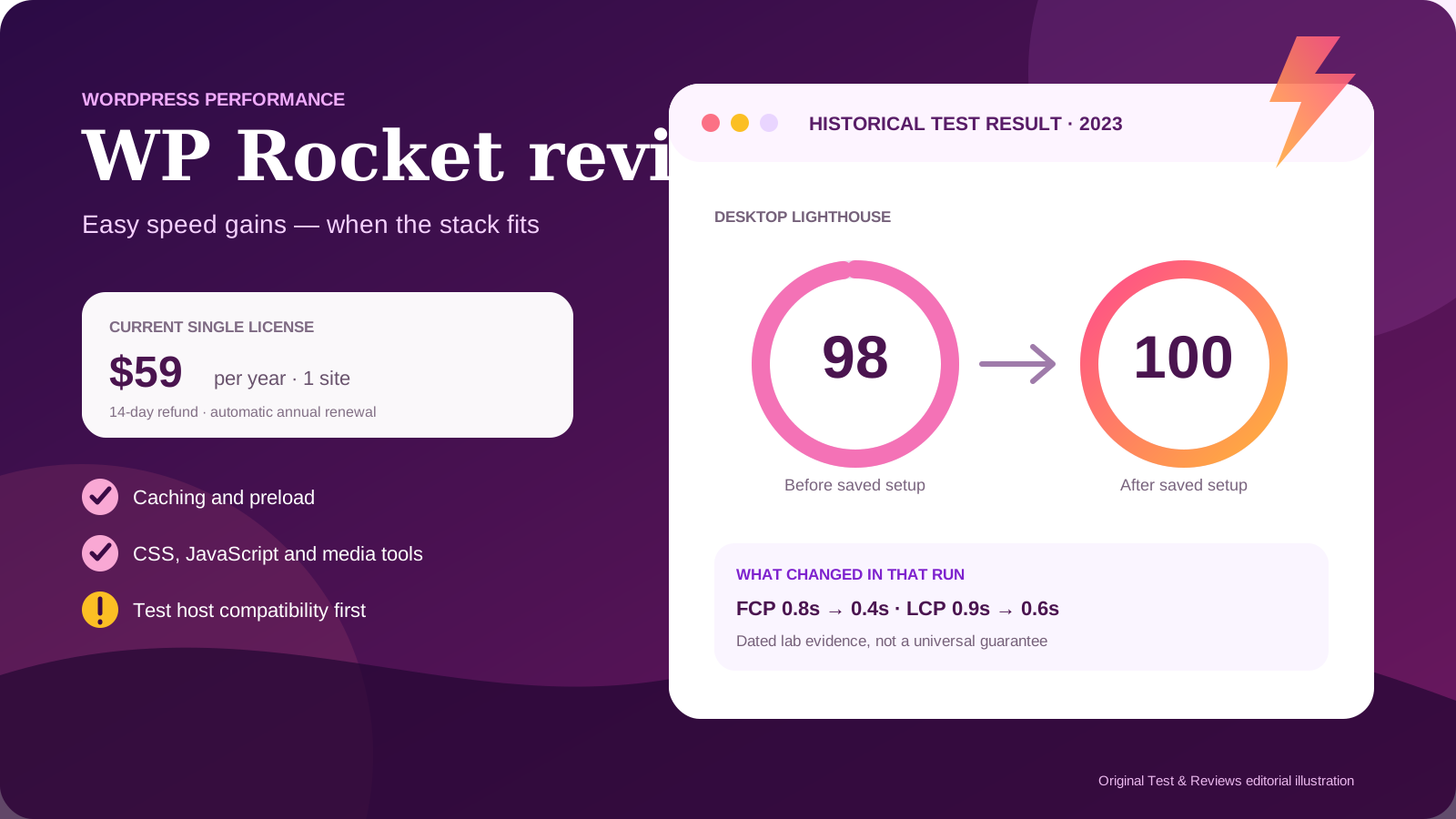
Our owner used WP Rocket on Test & Reviews and on a separate HostGator fixture in December 2023. One preserved desktop Lighthouse run improved from 98 to 100 after optimization, with First Contentful Paint falling from 0.8 to 0.4 seconds and Largest Contentful Paint from 0.9 to 0.6 seconds. That was a useful result on one page, but not a current controlled benchmark or a promise that every site will gain two points.
WP Rocket quick verdict
WP Rocket is best for a WordPress owner who wants one approachable dashboard for page caching, cache preload, CSS and JavaScript optimization, lazy loading, database cleanup and common CDN integrations. It is especially attractive on ordinary Apache or NGINX hosting without a well-integrated optimization stack.
It is less compelling when a managed host already handles full-page cache and Cloudflare at the edge, or when LiteSpeed Cache is correctly integrated with a LiteSpeed server. WP Rocket may still provide file and media optimizations in those environments, but duplicate caching can add complexity without a proportional gain.
Our position: a strong usability-first optimization plugin with credible historical evidence on our site. Buy only after recording a baseline and checking host compatibility, then enable risky settings one at a time.
Pros
- Page caching and common best practices start working on activation.
- The interface is easier to understand than many free caching plugins.
- Useful CSS, JavaScript, media, preload, database and heartbeat controls are combined.
- Official compatibility guidance covers many managed hosts and server stacks.
- Our preserved 2023 test showed a measurable improvement on an already fast page.
Cons
- No free plan or trial; the refund window is 14 days.
- The $299 Multi license now starts at 50 sites, not unlimited sites.
- Some cloud-powered optimizations stop when the license expires.
- Aggressive CSS or JavaScript settings can break layouts, menus, consent tools or checkout behavior.
- Server-side cache and CDN behavior can reduce the benefit or require special handling.
What our 2023 test found
The owner was already running Test & Reviews on Rocket.net when WP Rocket was tested. The first saved desktop PageSpeed Insights result scored 98, with 0.8-second FCP, 0.9-second LCP, 0 ms Total Blocking Time, 0.9-second Speed Index and 0.011 CLS.
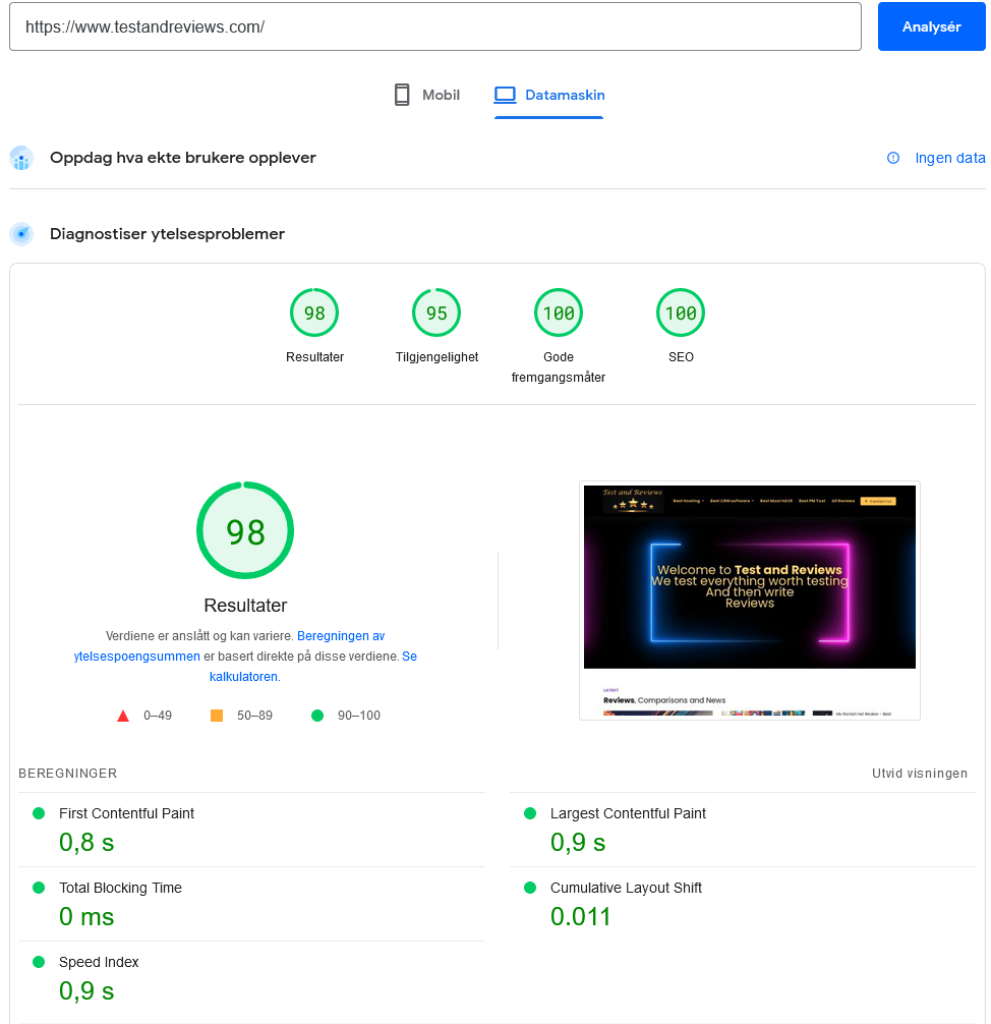
The saved result after the owner's WP Rocket configuration scored 100. FCP improved to 0.4 seconds, LCP to 0.6 seconds and Speed Index to 0.4 seconds; TBT stayed at 0 ms while CLS changed from 0.011 to 0.035.
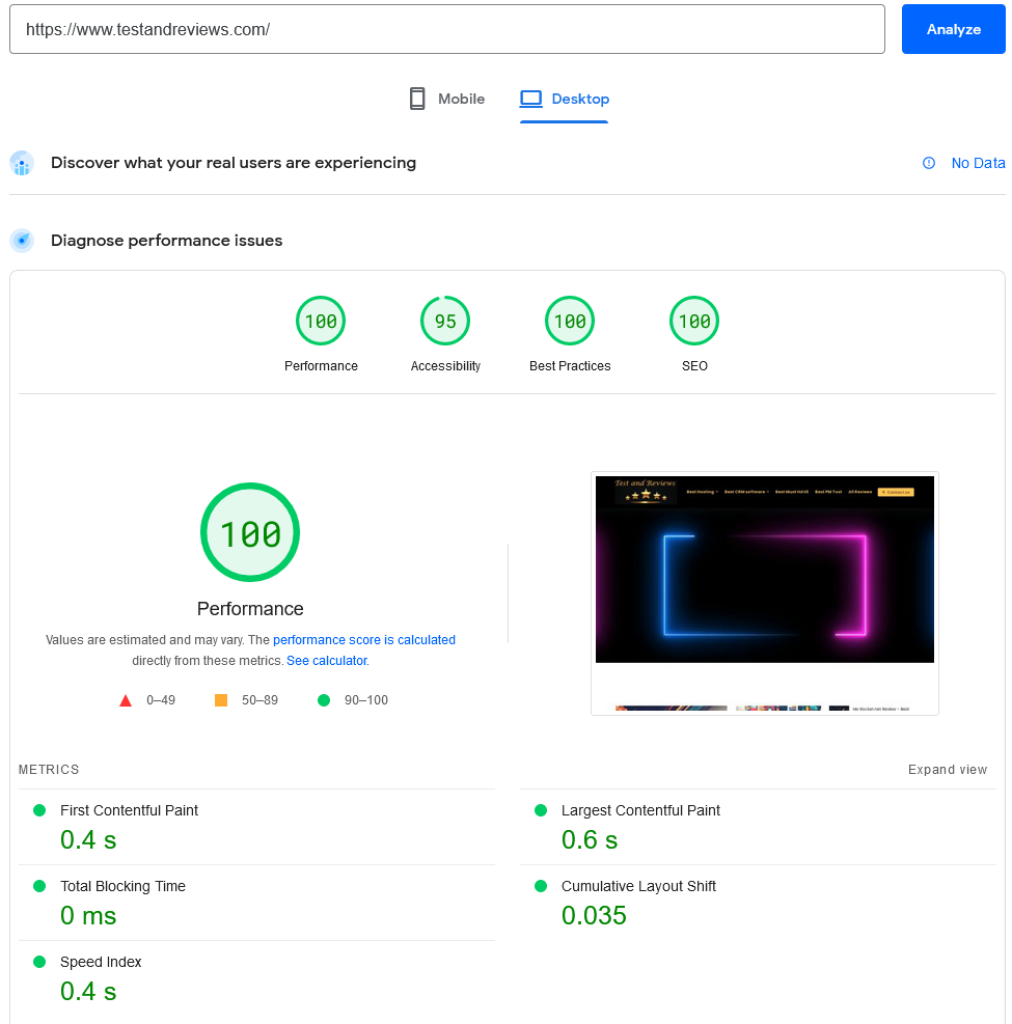
This comparison has limits. It is one desktop run before and one after, not a median across repeated tests. The screenshots do not preserve the exact WP Rocket version, complete configuration, cache state, network conditions or real-user Core Web Vitals. The page and hosting platform have also changed since 2023.
The old HostGator experiment reportedly improved a load measurement by about 1.1 seconds, but its exact standalone before/after evidence was not retained in an auditable form. We do not reuse that number as a verified benchmark.
What WP Rocket does in 2026
WP Rocket creates static cached output so many visits avoid rebuilding a WordPress page through PHP and the database. It can preload the cache, set browser-cache behavior and add compression rules where the server permits it.
Its front-end tools include CSS and JavaScript minification, Remove Unused CSS, asynchronous CSS loading, deferred or delayed JavaScript, lazy loading, missing image dimensions, iframe and video handling, font preload and priority-element optimizations. Database cleanup and WordPress Heartbeat controls can replace separate housekeeping plugins for some sites.
Remove Unused CSS, Load CSS Asynchronously, Rocket Insights and parts of priority-element pre-warmup use WP Rocket's external services. The official documentation says these cloud features are unavailable after a license expires or on a banned website. That makes renewal about more than support and updates.
Current WP Rocket pricing
| License | Price | Sites | Includes |
|---|---|---|---|
| Single | $59/year | 1 | Updates, support and Rocket Insights |
| Plus | $119/year | 3 | Same core plugin features |
| Multi | From $299/year | 50 | Options are also shown for 100 and 500 sites |
Taxes may apply. WP Rocket automatically renews after one year unless auto-renewal is disabled in the account billing section. The official refund policy allows a request within 14 days of the original purchase and says the same window applies to upgrades and annual renewals.
The old article described the $299 plan as unlimited. That is no longer correct: the current entry Multi license covers 50 websites, with larger 100- and 500-site options displayed separately. Hosting providers cannot use a normal Multi license for customers; WP Rocket directs them to its reseller program.
Rocket Insights and CDN: read the scope
Rocket Insights is now presented as a built-in performance hub included with the plugin. It tracks selected pages, reports metrics and suggests actions from inside the WordPress dashboard. Treat it as a convenient diagnostic layer, not a replacement for Search Console field data, server monitoring or a controlled performance test.
The pricing page also advertises built-in CDN acceleration for three key pages across 10 edge locations with no bandwidth limit. That is useful for evaluation, but “three key pages” is not full-site CDN coverage. Confirm which URLs and assets are accelerated before comparing it with Cloudflare, Bunny CDN or a host-level CDN.
Host compatibility matters more than a universal preset
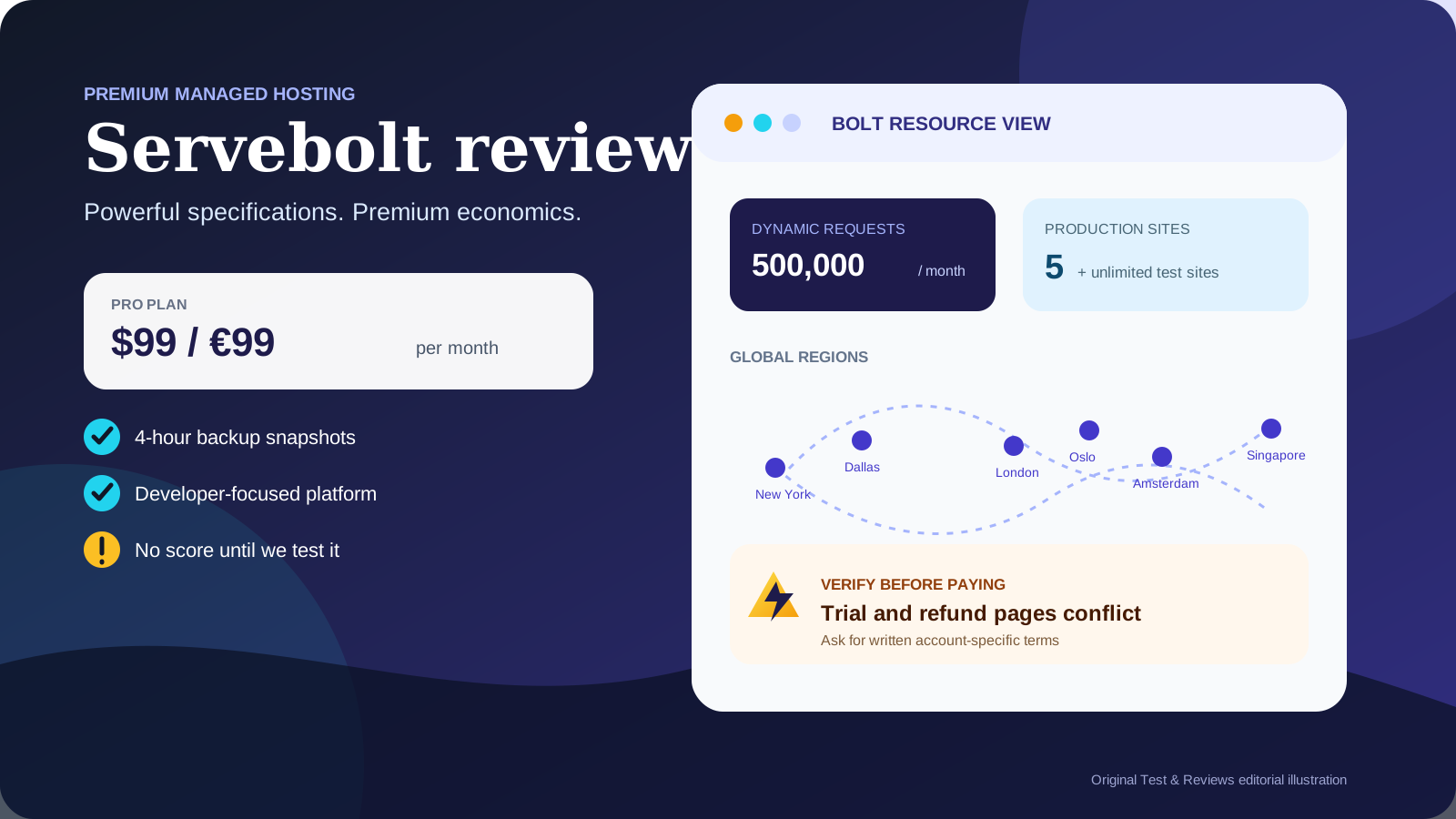
The old guide recommended a mostly universal set of toggles. We no longer do that. WP Rocket's current compatibility documentation shows why: on Kinsta and WP Engine its page cache is disabled in favor of the host's cache; on Servebolt, enabling Servebolt Optimizer's HTML cache disables WP Rocket page caching; on Rocket.net, Cloudflare Enterprise cache purging is managed by the host and does not always follow WP Rocket triggers.
HostGator Managed WordPress currently allows WP Rocket. LiteSpeed and OpenLiteSpeed are also supported, but a site with a properly configured LiteSpeed Cache stack may get more server-integrated features without another paid plugin. “Compatible” does not mean “best combination” or “all features active.”
Before installing, ask the host:
- which page, object and edge caches are already enabled;
- whether WP Rocket page caching will be disabled automatically;
- how cache purges are synchronized with the host and CDN;
- whether Remove Unused CSS and preload are permitted at your resource level;
- which host optimization plugin must remain active.
A safer WP Rocket setup process
- Record a baseline. Save the URL, device, test tool, cache state and at least three repeated runs. Check real-user Core Web Vitals where traffic exists.
- Back up and use staging. Preserve files and database, then confirm that staging does not consume another license under WP Rocket's supported staging-domain rules.
- Activate defaults first. Test the public page, logged-in WordPress, forms, search, menus, analytics and checkout before changing advanced settings.
- Add one optimization at a time. Remove Unused CSS and delayed JavaScript can help materially, but each needs visual and functional regression checks.
- Purge every cache layer. Clear WP Rocket, host cache and CDN cache in the correct order before comparing.
- Measure medians, not the best run. Compare repeated mobile and desktop results plus server response and real-user data.
- Keep an exclusion log. Record scripts, pages and cookies excluded for consent, cart, account or other dynamic features.
WP Rocket currently requires WordPress 5.8 or later, PHP 7.3 or later and Action Scheduler 3.0 or later according to the installation documentation. Some file optimizations and preload operations need adequate server resources, especially on large sites.
Who should buy WP Rocket?
| Good fit | Test alternatives first |
|---|---|
| You want a polished interface and sensible defaults. | Your host already supplies tightly integrated full-page and edge caching. |
| Your Apache or NGINX WordPress site lacks a complete optimization stack. | You use LiteSpeed and are comfortable configuring LiteSpeed Cache. |
| You can regression-test CSS, JavaScript and dynamic flows. | You expect a plugin to repair slow hosting, oversized media or bad application code. |
| The annual price is small relative to the site's value. | You need image conversion and a full-site CDN included at the base price. |
WP Rocket alternatives
LiteSpeed Cache is the first option to test when the site runs on LiteSpeed or OpenLiteSpeed and the host supports its server-level features. It is free, but its larger settings surface can be less approachable.
FlyingPress is a direct premium competitor at a similar single-site price. Current independent users often compare its more integrated image/CDN and modern optimization controls with WP Rocket's easier interface and broader documentation. We have not completed our own head-to-head test, so we do not declare a winner.
Host-managed optimization can be the cleanest choice on Rocket.net, Kinsta, WP Engine, Servebolt and other specialist platforms. WP Rocket may still add front-end value, but the incremental gain must be measured. See our Rocket.net review, Kinsta review and Servebolt review for the hosting context.
Final verdict
WP Rocket is still easy to recommend as a usability-first WordPress performance toolkit, but not as a universal route to a 100 score. Our historical test improved an already fast page from 98 to 100 and reduced several lab timings. That supports the claim that it helped our setup in 2023, not that it is always the fastest plugin in 2026.
The current $59 Single license remains reasonable for a valuable site, while the reduced 50-site scope of the $299 Multi tier is a meaningful change for agencies. We are withholding a numeric rating until the plugin is retested on the current production stack with repeated runs, functional checks and real-user data.
View current WP Rocket pricing — direct official link, not an affiliate link as of this update.
Sources and update policy
Current facts were checked against WP Rocket's official pricing page, refund policy, feature documentation, hosting compatibility guide and installation requirements. Recent independent long-term and performance reviews were used to identify comparison questions, not as a substitute for our results.
Facts and prices were checked July 22, 2026. The next scheduled review is October 22, 2026, or sooner after a material license, cloud-feature or compatibility change.